26-03 使用Excel实现ANSYS参数化快速计算让计算产生质的飞跃!
- 2026-05-24 18:45:18
26-03 使用Excel实现ANSYS参数化快速计算让计算产生质的飞跃!本次案例采用的是26-02 关于案例的一些整理01一文中的《ANSYS Workbench结构与流体实例应用》,通过第八章的一个基础案例和大家一起探讨如何进行参数化快速计算。 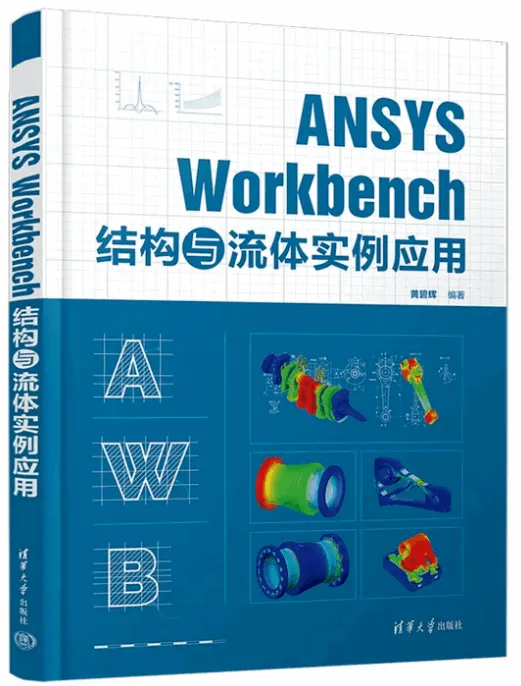
欢迎大家多多支持黄碧辉老师,也欢迎大家一起进行技术探索。下面将结合第八章的这个基础案例和大家聊聊。 1、得到模型的尺寸参数100X10X10mm,模型如下图所示 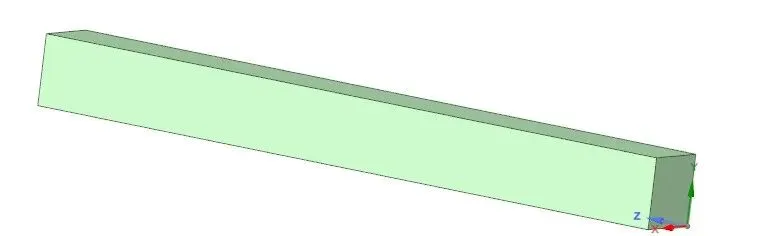
2、注意在SC中创建一个需要尺寸参数 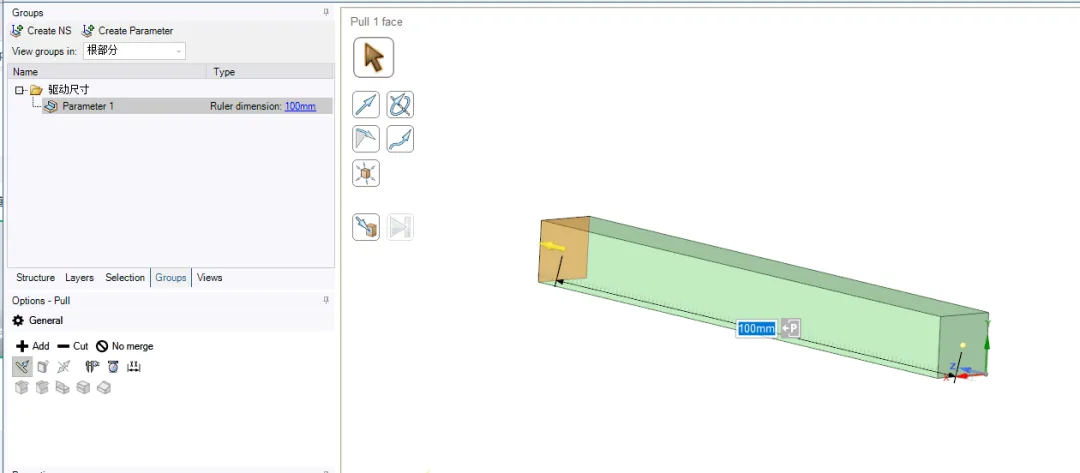
3、注意网格划分和边界条件的设置,另外就是需要参数化的参数设置。 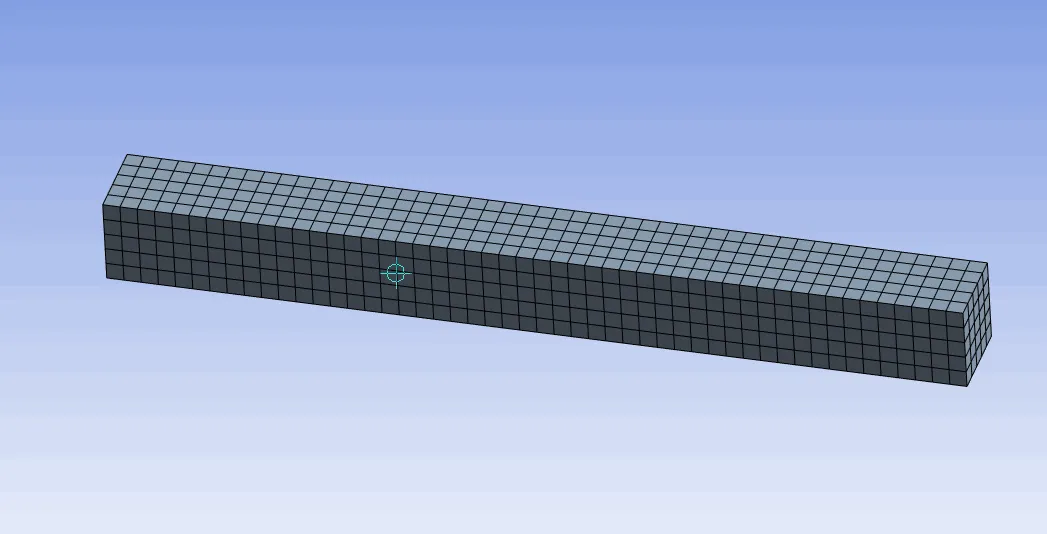
网格图片 值得注意的是,有时参数化计算失败或者出错是因为网格的精度不够导致的,建议进一步提升网格的质量!可以适当的加密网格!(已在这个案例上测试过了) 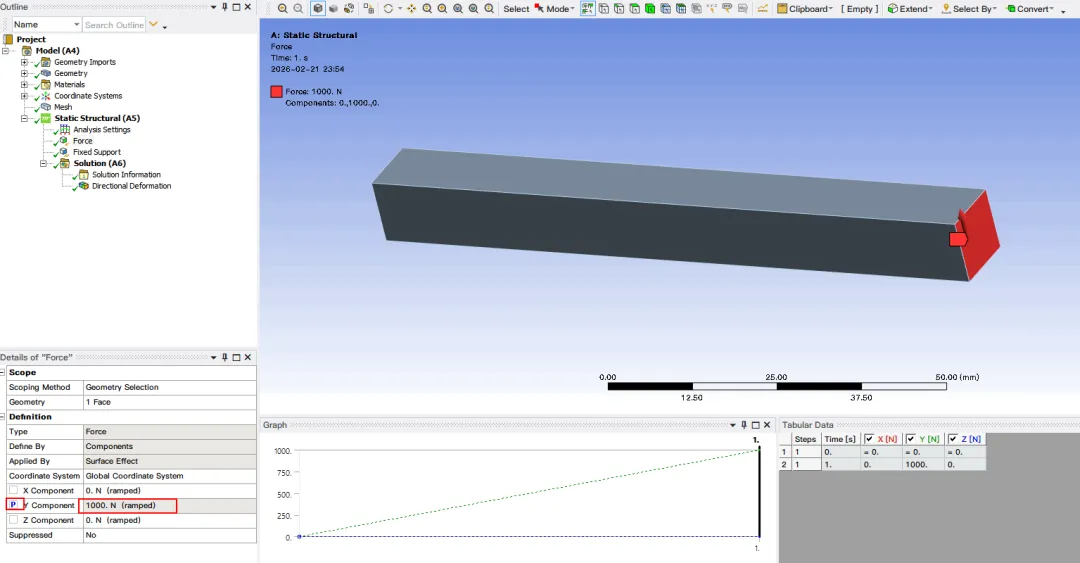
边界条件图片 4、完成计算,需要注意的是:要把自己需要的计算数据做后处理设置,这样对于后续的参数统计可以效率更高! 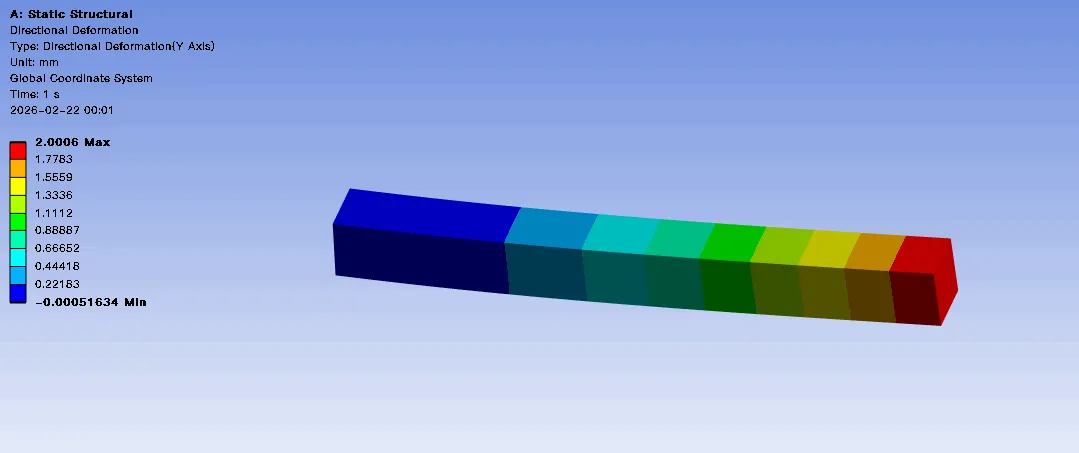
云图 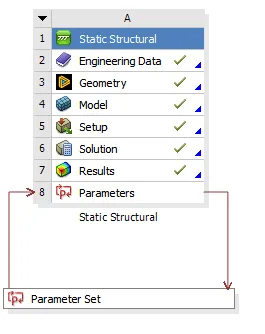
模块完成状态图 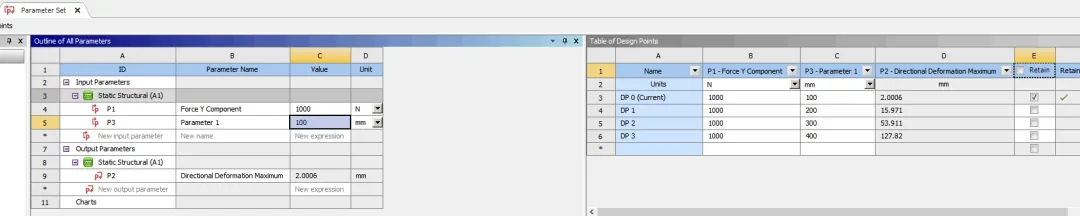
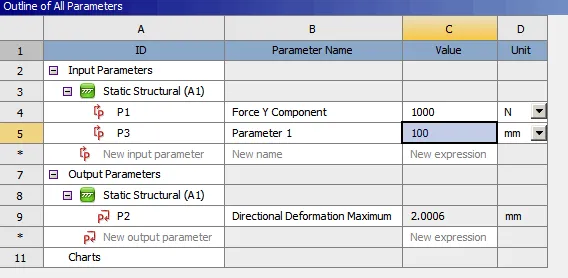
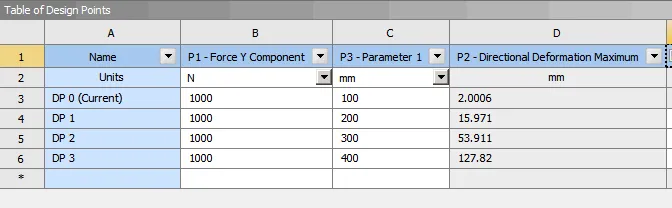
参数数据表 注意接下来要使用excel软件! 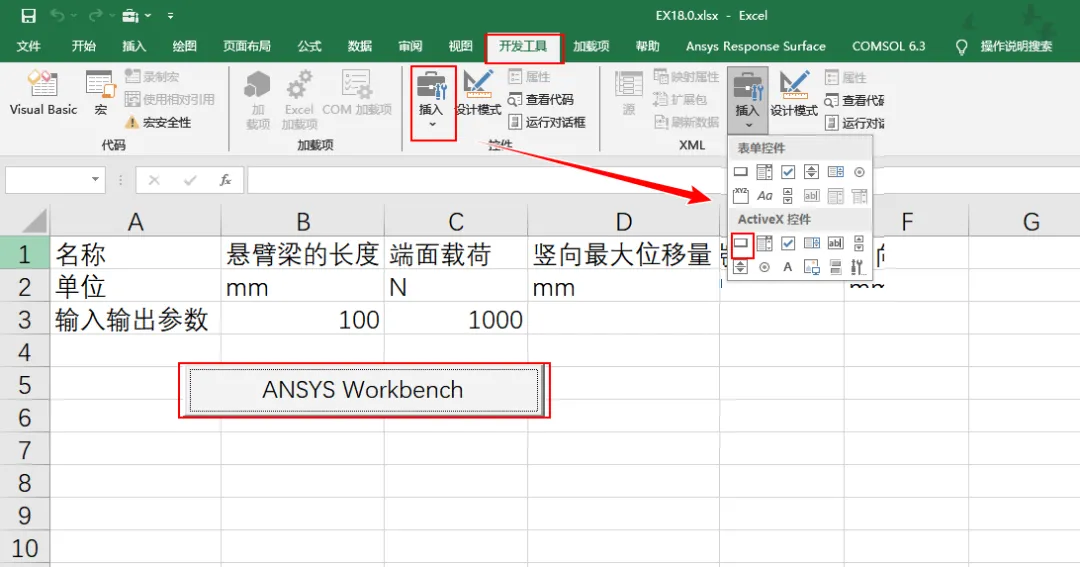
注意常规情况下,开发工具是没有的,需要在选项设置中打勾! 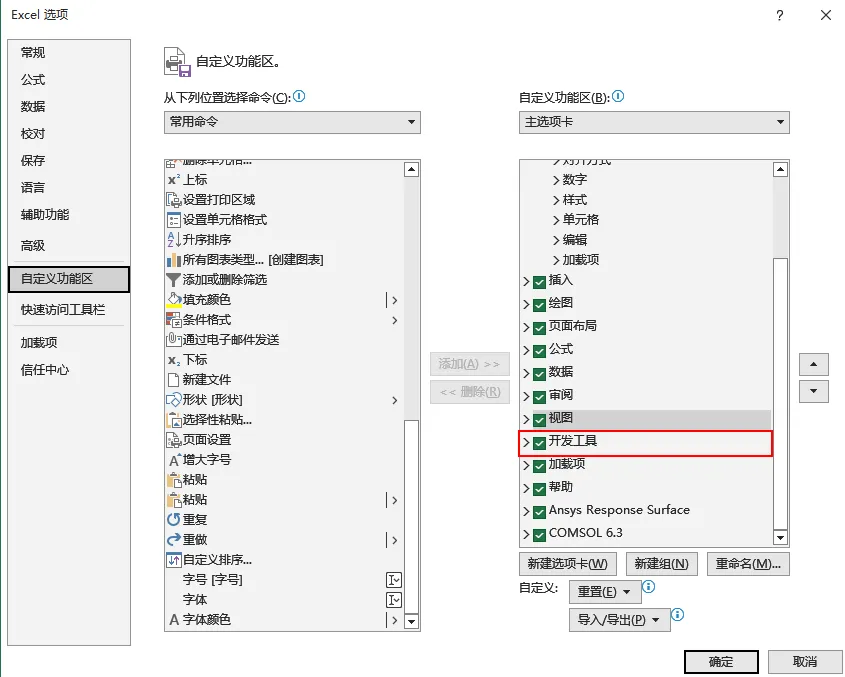
设置完成后,输入对应的数据和名称,保存到无中文路径下的文件夹中备用。 下面开始参数化计算需要的代码: 将上述代码保存为.wbjn后缀文件,然后在workbench界面上单击file选项卡,如下图所示。(代码需要小心格式) 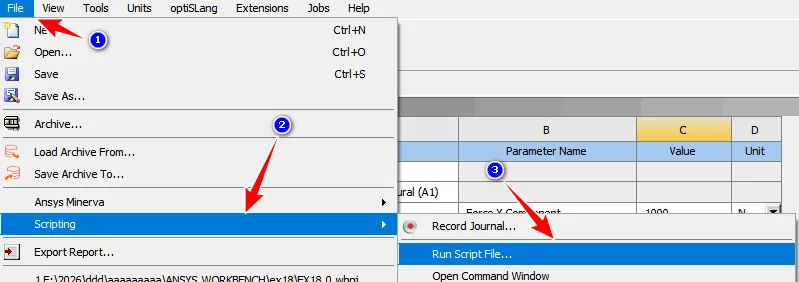
完成.wbjn后缀文件的加载后,即可在下图中的对应框中输入工况参数。 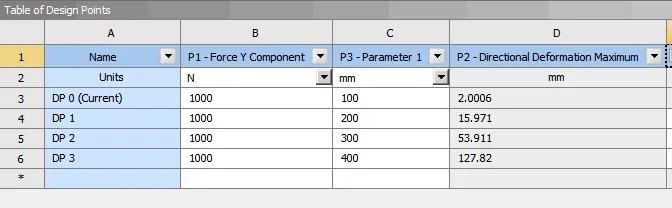
# IronPython imports to enable Excel interopimport clrimport osclr.AddReference("Microsoft.office.Interop.Excel")import Microsoft.Office.Interop.Excel as Excel# Define working directoryworkingDir=AbsUserPathName("E:\\2026\\ddd\\aaaaaaaaa\\ANSYS.WORKBENCH\\ex18")def updateHandler():# Update can take long, so disable the Excel warning -# "Excel is waiting for another application to complete an OLE action"ex.Application.DisplayAlerts=False# Define key ranges in the Workbooklengthcell = worksheet,Range["B3"]loadCell =worksheet.Range["C3"]defCell = worksheet.Range["D3"]# Get the Workbench ParameterslengthParam =Parameters.GetParameter (Name="p3")loadParam=Parameters.GetParameter(Name="p1")defParam = Parameters.GetParameter(Name="P2")# Assign values to the input parameterslengthParam.Expression =lengthCeli.Value2.Tostring()+"[mm]"loadParam.Expression=loadCell.Value2.Tostring()+"[N]"# Mark the deformation parameter as updating in the workbookdefCell.Value2="Updating..."# Run the project updateUpdate()# Update the workbook value from the WB parameterdefCell.Value2 = defParam.Value# restore alert settingex.Application.DisplayAlerts = True# Open the Workbench ProjectOpen(FilePath=os.path.join(workingDir,"EX18.0.wbpj"))# Open Excel and the workbookex = Excel.ApplicationClass()ex.Visible=Trueworkbook=ex.Workbooks.Open(os.path.join(workingDir,"EX18.0.xlsx"))worksheet=workbook.ActiveSheet#Apply the update handler to the workbook buttonOLEbutton=worksheet.OLEObjects("CommandButton1")commandButton=OLEbutton.ObjectcommandButton.CLICK += updateHandler
本次案例采用软件是ansys2024r1,感兴趣的道友欢迎后台私信获取案例源文件!祝大家新春快乐!仿的都准算的都稳!下期尝试一下流体的参数化计算。
本文来自网友投稿或网络内容,如有侵犯您的权益请联系我们删除,联系邮箱:wyl860211@qq.com 。


