大家好啊,我是阿宽,很高兴我们又见面了,整理一下最近群里的问题,希望对大家有所帮助哦~~ 请教一个事情,就是我一个excel的下拉框,怎么实现一次选择多个选项
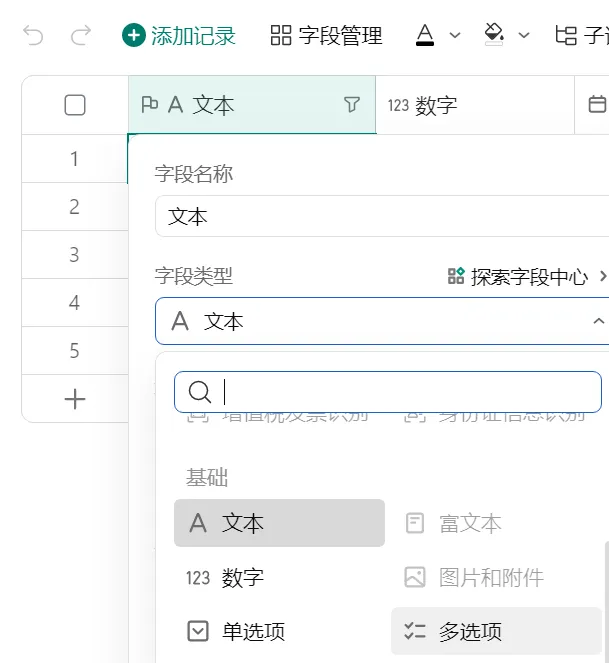
Excel表格下拉框可以用数据验证/有效性实现,这里不好实现一次选择多个选项 。
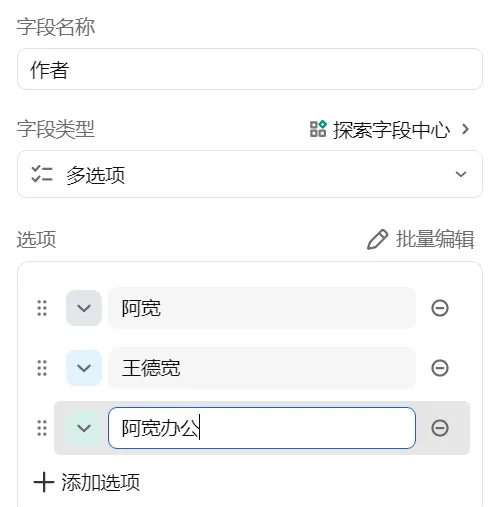
接着输入字段名称,可以删除或添加选项,来调整选项的数量,再输入所有选项具体内容。现在AI这么发达,利用AI写宏代码,也可以实现这个功能。
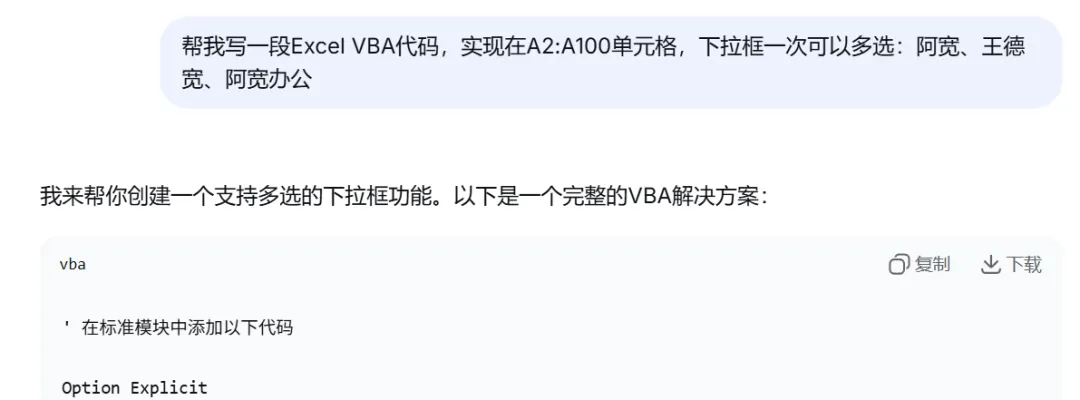
打开DeepSeek输入提示词:
帮我写一段Excel VBA代码,实现在A2:A100单元格,下拉框一次可以多选:阿宽、王德宽、阿宽办公
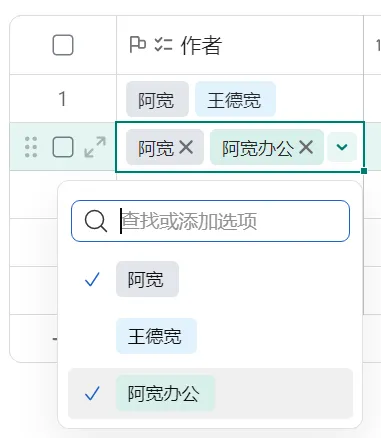
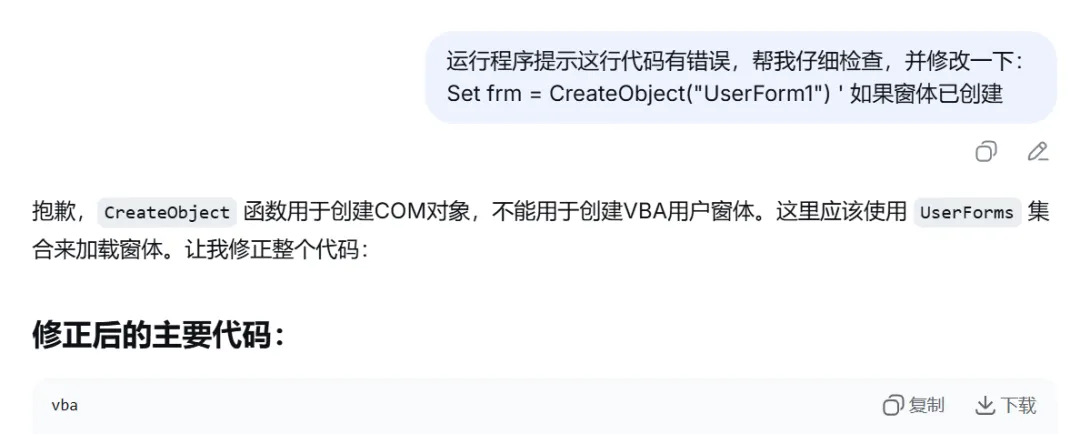
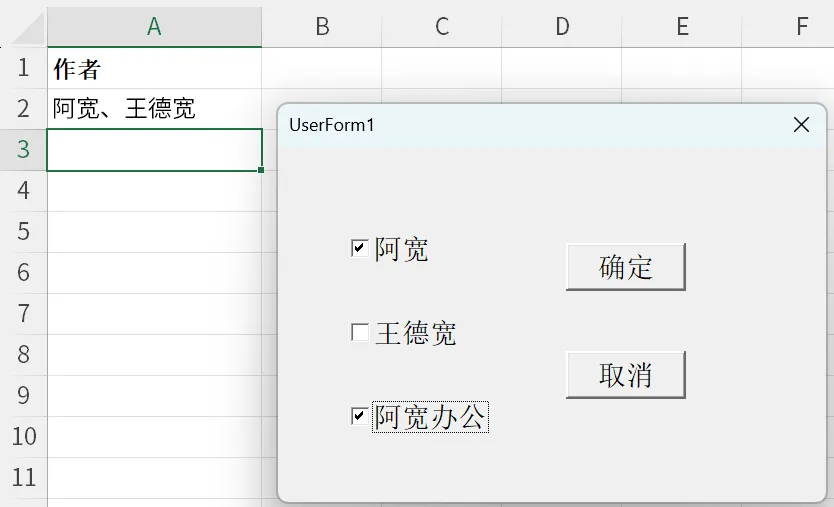
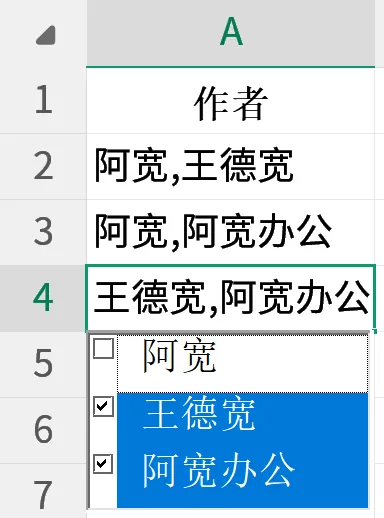
一会DeepSeek就帮我生成好了代码,测试之后有点小问题,再把错误信息发给AI帮我修改了一版,再次运行后完美解决。最终效果如下:
下面把最终代码粘贴一份:
窗体代码:
' 在UserForm1的代码模块中添加Option Explicit' 添加公共属性来存储目标单元格地址Public TargetAddress As StringPrivate Sub CheckBox1_Click() If CheckBox1.Value Then AddSelectedItem "阿宽" Else RemoveSelectedItem "阿宽" End IfEnd SubPrivate Sub CheckBox2_Click() If CheckBox2.Value Then AddSelectedItem "王德宽" Else RemoveSelectedItem "王德宽" End IfEnd SubPrivate Sub CheckBox3_Click() If CheckBox3.Value Then AddSelectedItem "阿宽办公" Else RemoveSelectedItem "阿宽办公" End IfEnd SubPrivate Sub OKButton_Click() Dim targetRange As Range ' 设置目标单元格 Set targetRange = Worksheets("Sheet1").Range(TargetAddress) ' 将选中的项目写入单元格 targetRange.Value = GetSelectedItemsString() Unload MeEnd SubPrivate Sub CancelButton_Click() Unload MeEnd SubPrivate Sub UserForm_QueryClose(Cancel As Integer, CloseMode As Integer) ' 防止用户点击X关闭窗体,必须通过确定或取消按钮 If CloseMode = vbFormControlMenu Then MsgBox "请点击""确定""或""取消""按钮", vbInformation Cancel = True End IfEnd Sub
Private Sub Worksheet_BeforeDoubleClick(ByVal Target As Range, Cancel As Boolean) If Not Intersect(Target, Range("A2:A100")) Is Nothing Then Cancel = True ShowMultiSelectForm Target End IfEnd Sub
' 在标准模块中添加以下代码Option Explicit' 声明全局变量Private SelectedItems As CollectionPrivate Const DELIMITER As String = "、"' 初始化选中的项目集合Sub InitializeSelectedItems() Set SelectedItems = New CollectionEnd Sub' 主要的初始化函数(需要在工作簿打开时运行)Sub InitializeMultiSelectDropdown() ' 清除A2:A100单元格的所有验证和值 With Worksheets("Sheet1").Range("A2:A100") .ClearContents .Validation.Delete End With ' 初始化选中的项目集合 InitializeSelectedItems ' 添加数据验证(下拉列表) With Worksheets("Sheet1").Range("A2:A100").Validation .Delete .Add Type:=xlValidateList, AlertStyle:=xlValidAlertStop,_ Operator:=xlBetween, Formula1:="阿宽,王德宽,阿宽办公" .IgnoreBlank = True .InCellDropdown = True .ShowInput = True .ShowError = True End WithEnd Sub' 显示多选窗体 - 这是被工作表事件调用的函数Sub ShowMultiSelectForm(ByVal TargetCell As Range) Dim frm As UserForm1 ' 创建窗体实例 Set frm = New UserForm1 ' 加载已选中的项目 LoadSelectedItems TargetCell.Value ' 在窗体中显示选中的项目 With frm .CheckBox1.Value = IsItemSelected("阿宽") .CheckBox2.Value = IsItemSelected("王德宽") .CheckBox3.Value = IsItemSelected("阿宽办公") .TargetAddress = TargetCell.Address '存储目标单元格地址 .Show End With ' 清理 Unload frm Set frm = NothingEnd Sub' 从单元格值加载已选中的项目到集合Sub LoadSelectedItems(cellValue As String) Dim items() As String Dim i As Integer ' 初始化或清空集合 If SelectedItems Is Nothing Then Set SelectedItems = New Collection Else While SelectedItems.Count > 0 SelectedItems.Remove 1 Wend End If ' 如果单元格有值,则分割并添加到集合 If Len(Trim(cellValue)) > 0 Then items = Split(cellValue, DELIMITER) For i = LBound(items) To UBound(items) If Trim(items(i)) <> "" Then On Error Resume Next SelectedItems.Add Trim(items(i)), Key:=CStr(Trim(items(i))) On Error GoTo 0 End If Next i End IfEnd Sub' 检查项目是否已选中Function IsItemSelected(itemName As String) As Boolean Dim item As Variant If SelectedItems Is Nothing Then Set SelectedItems = New Collection End If On Error GoTo NotSelected ' 尝试通过键访问(更高效) Dim temp As Variant temp = SelectedItems(itemName) IsItemSelected = True Exit FunctionNotSelected: IsItemSelected = FalseEnd Function' 添加选中的项目Sub AddSelectedItem(itemName As String) If SelectedItems Is Nothing Then Set SelectedItems = New Collection End If On Error Resume Next SelectedItems.Add itemName, Key:=itemName On Error GoTo 0End Sub' 移除选中的项目Sub RemoveSelectedItem(itemName As String) Dim i As Integer If SelectedItems Is Nothing Then Exit Sub End If For i = 1 To SelectedItems.Count If SelectedItems(i) = itemName Then SelectedItems.Remove i Exit Sub End If Next iEnd Sub' 获取所有选中项目的字符串Function GetSelectedItemsString() As String Dim result As String Dim item As Variant result = "" If SelectedItems Is Nothing Or SelectedItems.Count = 0 Then GetSelectedItemsString = "" Exit Function End If For Each item In SelectedItems If result = "" Then result = item Else result = result & DELIMITER& item End If Next item GetSelectedItemsString = resultEnd Function
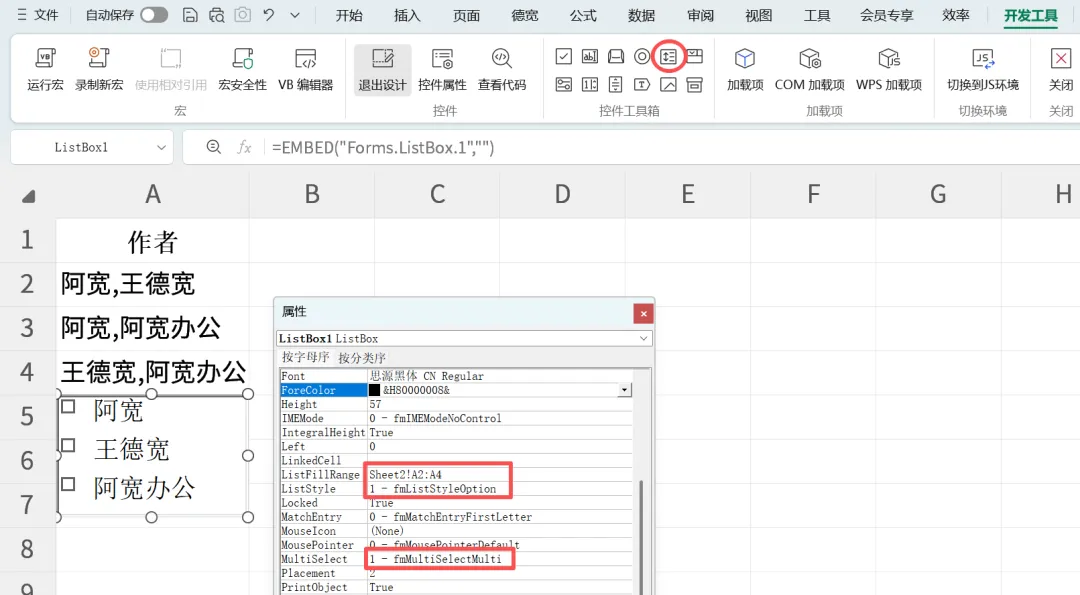
Private Sub ListBox1_Change()If Reload Then Exit SubFor i =0To ListBox1.ListCount -1 If ListBox1.Selected(i) =TrueThen t = t & "," & ListBox1.List(i)NextActiveCell = Mid(t, 2)End SubPrivate Sub Worksheet_SelectionChange(ByVal Target AsRange)With ListBox1 If ActiveCell.Column =1And ActiveCell.Row >1Then t = ActiveCell.Value Reload =TrueFor i =0To .ListCount -1 If InStr(t, .List(i)) Then .Selected(i) =TrueElse .Selected(i) =FalseEnd If Next Reload =False .Top = ActiveCell.Top + ActiveCell.Height .Left= ActiveCell.Left .Width = ActiveCell.Width .Visible =TrueElse .Visible =FalseEnd IfEndWithEnd Sub
好了,今天简单介绍到这里,创作不易,记得一键三连哦~~
如您有其他方法或更优方法,欢迎各位大佬批评指正!



 10个月宝宝每天需要喝多少奶粉?

