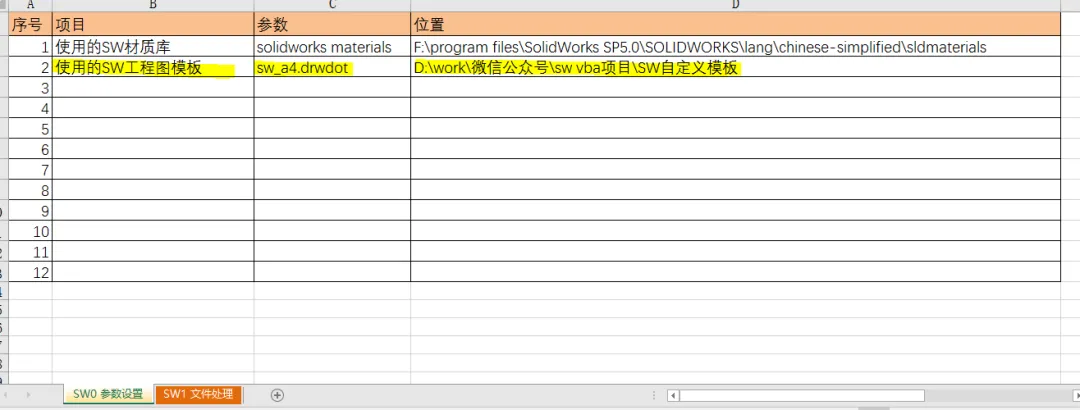
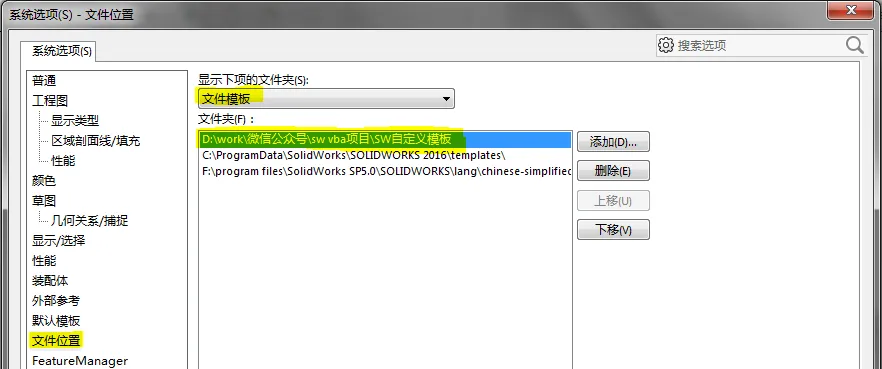
Sub NewSwDrw() '生成工程图Dim swApp As SldWorks.SldWorks, FullModelPath As String, DrwTemplate As StringDim OpennedModel As ModelDoc2, PartModel As PartDoc, SwErr As Long, PropVal As StringDim k As Integer, posn As Long, SwDrw As DrawingDocDim Results As String, Suffix(), ModelType(), OpenVal As LongOn Error Resume Next Set swApp = GetObject(, "SldWorks.Application") If swApp Is Nothing Then MsgBox "请先打开SolidWorks!", vbExclamation, "不正经的机械仙人" Exit Sub End If Suffix = Array(".SLDPRT", ".SLDASM"): ModelType = Array(swDocPART, swDocASSEMBLY) DrwTemplate = ThisWorkbook.Sheets("SW0 参数设置").Range("D3").Value & "\" & _ ThisWorkbook.Sheets("SW0 参数设置").Range("C3").Value With ThisWorkbook.ActiveSheet If myselcondi Then swApp.CloseAllDocuments (True) For k = 1 To Selnumber ProcessBarUpdater k, Selnumber, "正在生成工程图:", "共" & Selnumber & "个,第" & k & "个 ..." posn = Selarray(k) If Dir(.Cells(posn, 2) & "\" & .Cells(posn, 3) & ".SLDDRW") <> "" Then Results = "已有同名工程图!" Else FullModelPath = .Cells(posn, 2) & "\" & .Cells(posn, 3) & .Cells(posn, 4) OpenVal = ModelType(WorksheetFunction.Match(UCase(.Cells(posn, 4)), Suffix, 0) - 1) Set OpennedModel = swApp.OpenDoc2(FullModelPath, OpenVal, False, False, True, SwErr) If OpennedModel Is Nothing Then Results = "模型打开失败!" Else Set SwDrw = swApp.NewDocument(DrwTemplate, 0, 0, 0) If SwDrw Is Nothing Then Results = "工程图生成失败!" Else SwDrw.InsertModelInPredefinedView FullModelPath SwDrw.SaveAs2 .Cells(posn, 2) & "\" & .Cells(posn, 3) & ".SLDDRW", swSaveAsCurrentVersion, False, True swApp.QuitDoc .Cells(posn, 2) & "\" & .Cells(posn, 3) & ".SLDDRW" Set SwDrw = Nothing Results = "已生成工程图!" End If swApp.QuitDoc FullModelPath: Set OpennedModel = Nothing End If End If .Cells(posn, 1) = Results: Results = "" Next Else MsgBox "未选择正确行,程序结束!", vbExclamation, "不正经的机械仙人" End If End With Err.Clear Set swApp = Nothing Application.StatusBar = FalseEnd Sub