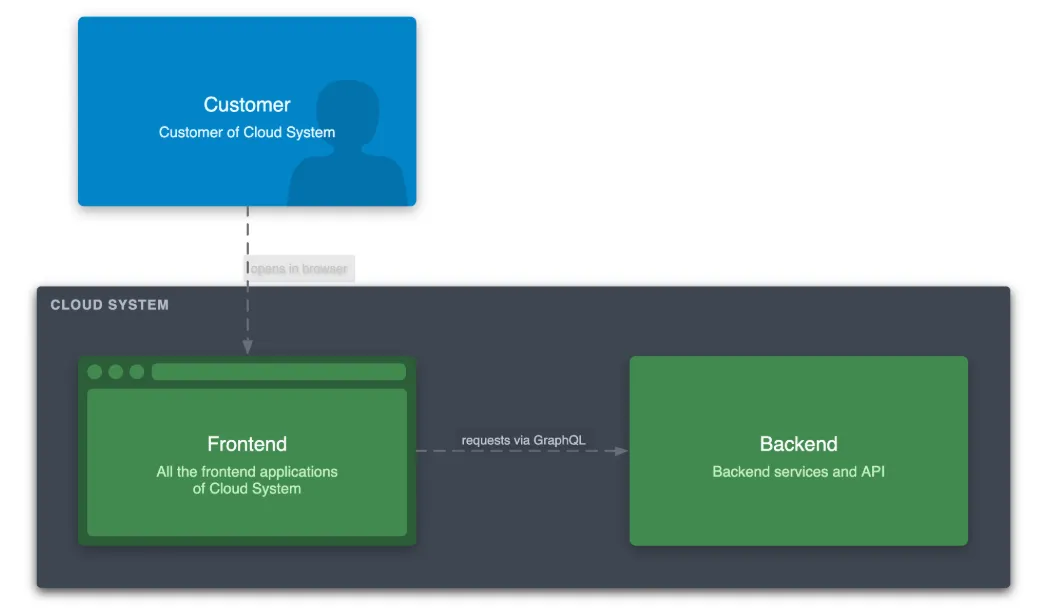
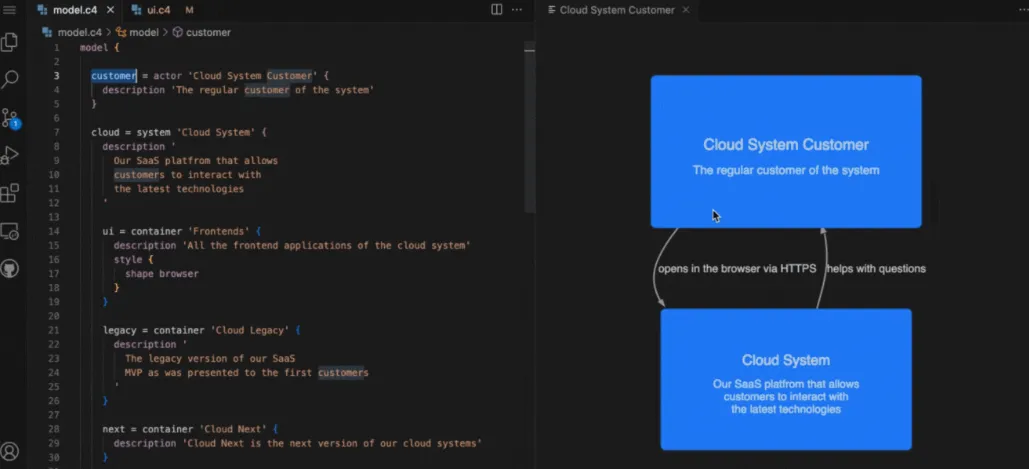
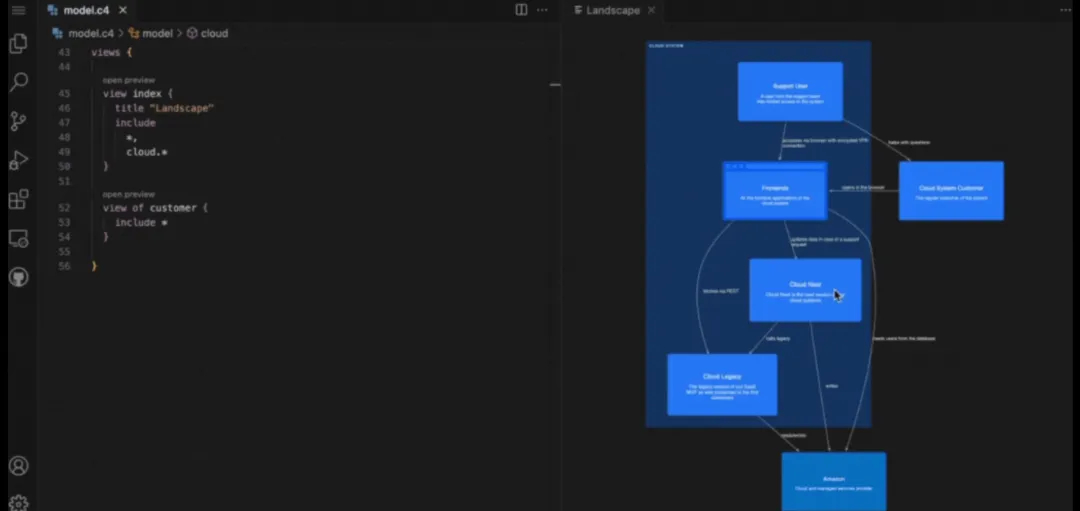
"终于可以把那些画了又过期的架构图扔进垃圾桶了!"
💥 痛点:架构师的三大噩梦
如果你是技术团队的一员,一定经历过这些崩溃时刻:
场景一:版本地狱
场景二:工具折磨
- Visio:打开要 3 分钟,调整箭头要 30 分钟
场景三:协作噩梦
- "能不能告诉 AI 我们的架构?它总是理解错..."
🚀 突破:Architecture-as-Code 时代来了
就在 2026 年初,一个名为 LikeC4 的开源项目悄然火爆 GitHub(当前 1.3K+ stars),它带来了一个革命性理念:
用代码定义架构,让图表自动生成!
这意味着什么?
✅ 架构图和代码住在同一个 Git 仓库
✅ 修改代码 → 提交 PR → 架构图自动更新
✅ AI 可以直接读懂你的系统架构
✅ 所有版本历史一目了然
🎯 核心亮点:为什么选择 LikeC4?
1️⃣ DSL 语言:简洁到离谱
看看用 LikeC4 定义一个微服务架构有多简单:
specification {
  element actor {
    style {
      shape person
    }
  }
  element system
  element component
}

model {
  customer = actor 'Customer' {
    description '付费用户,可访问所有功能'
    -> ui 'opens in browser'
  }

  cloud = system 'Our SaaS' {
    backend = component 'Backend' {
      icon tech:graphql
      description 'GraphQL API 提供业务逻辑'
    }

    ui = component 'Frontend' {
      description 'NextJS 应用'
      style {
        icon tech:nextjs
        shape browser
      }
    }

    ui -> backend 'HTTPS 请求'
  }
}

views {
  view overview {
    title '系统全景图'
    include *, cloud.*

    style cloud.* {
      color green
    }
  }
}
就这么简单! 不需要拖拽,不需要对齐,不需要调整箭头。
2️⃣ 实时预览:所见即所得
安装 VS Code 插件后,你可以:
3️⃣ Git 原生:版本控制天然支持
git diff architecture.c4

- customer -> oldService 'deprecated'
+ customer -> newService 'migrated to microservice'
Code Review 架构图?现在可以了!
每次架构调整都留下清晰记录:
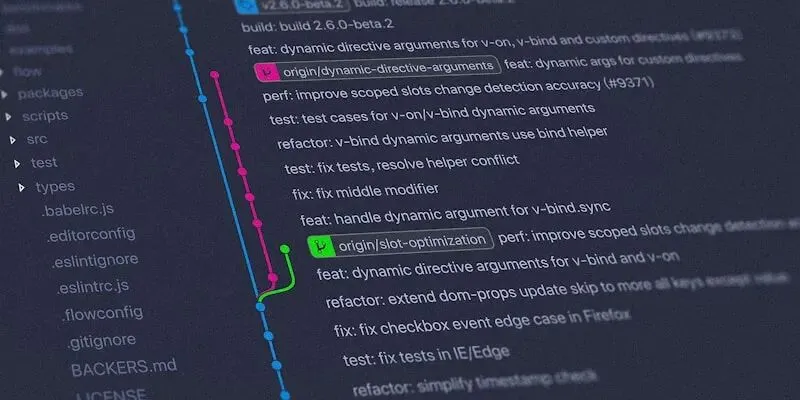 Git Diff 示例
4️⃣ AI 原生:让 Claude/ChatGPT 读懂架构
震撼功能:MCP(Model Context Protocol)支持!
LikeC4 提供了 MCP Server,可以直接让 AI 助手理解你的架构:
# 安装 MCP Server
npx @likec4/mcp-server
现在你可以问 Claude:
AI 会基于你的 .c4 文件精准回答!这是真正的 AI 时代架构管理。
5️⃣ 多端发布:从文档到 Web
LikeC4 支持多种导出方式:
# CLI 导出
likec4 export --output ./diagrams --format png,svg,json

# 嵌入到文档
<likec4-view viewId="overview"></likec4-view>

# React 组件
import { LikeC4View } from 'likec4/react'
<LikeC4View viewId="overview" />
你可以把架构图:
🆚 对比:LikeC4 vs 传统工具
| | LikeC4 |
|---|
| 更新成本 | | |
| 版本控制 | | |
| 协作效率 | | |
| AI 理解 | | |
| 学习曲线 | | |
| 自动化 | | |
🛠️ 快速上手:5 分钟开始使用
Step 1: 安装工具
# 全局安装 CLI
npm install -g likec4

# 或使用 VS Code 插件
# 在 VS Code 中搜索 "LikeC4"
Step 2: 创建第一个架构文件
创建 model.c4:
specification {
  element system
  element database
}

model {
  frontend = system 'Web App'
  backend = system 'API Server'
  db = database 'PostgreSQL'

  frontend -> backend 'API calls'
  backend -> db 'SQL queries'
}

views {
  view index {
    include *
  }
}
Step 3: 生成架构图
# 启动开发服务器(实时预览)
likec4 serve

# 或直接导出图片
likec4 export -o ./output
3 步搞定! 你的第一个架构图已经生成了 🎉
Step 4: 尝试在线 Playground
不想本地安装?试试官方 Playground: 👉 https://playground.likec4.dev/w/tutorial/
在线编辑,实时预览,无需安装任何工具!
💡 实战案例:大型微服务架构
假设你在管理一个电商系统,有 20+ 微服务,用 LikeC4 可以这样组织:
文件结构:
architecture/
├── _spec.c4              # 全局定义
├── model.c4              # 核心模型
├── views.c4              # 视图定义
├── services/
│   ├── order.c4         # 订单服务
│   ├── payment.c4       # 支付服务
│   └── inventory.c4     # 库存服务
└── deployment/
    ├── production.c4    # 生产环境
    └── staging.c4       # 测试环境
多层级视图:
团队协作:
🌟 生态系统:不止是画图工具
LikeC4 不仅是工具,更是一个生态:
📦 丰富的集成
- Docusaurus/VitePress:文档站自动嵌入
🎨 强大的定制
🤝 活跃的社区
- GitHub Discussions:800+ 讨论
🚨 注意事项
当然,LikeC4 也不是银弹:
适合场景:
不太适合:
🎁 彩蛋:进阶玩法
1. 与 C4 模型完美结合
LikeC4 基于经典的 C4 模型(Context, Containers, Components, Code),但进行了现代化扩展:
// C4 层级示例
model {
  // Level 1: System Context
  system = system 'E-Commerce Platform'

  // Level 2: Container
  system.api = container 'API Gateway'
  system.db = container 'Database'

  // Level 3: Component
  system.api.auth = component 'Auth Service'
  system.api.order = component 'Order Service'
}
2. 动态视图:展示业务流程
views {
  dynamic view checkoutFlow {
    title '用户下单流程'

    customer -> webapp 'browse products'
    webapp -> api 'add to cart'
    customer -> webapp 'checkout'
    webapp -> payment 'process payment'
    payment -> notification 'send confirmation'
  }
}
3. 部署视图:真实基础设施
model {
  aws = deploymentEnvironment 'AWS Production' {
    vpc = deploymentNode 'VPC' {
      eks = deploymentNode 'EKS Cluster' {
        // 部署你的容器化服务
      }
      rds = deploymentNode 'RDS' {
        // 数据库实例
      }
    }
  }
}
🔥 结语:架构管理的新范式
LikeC4 代表了一个趋势:Infrastructure as Code 的成功经验正在被应用到软件架构管理中。
在 AI 时代,架构不仅要给人看,更要让 AI 理解。LikeC4 的 MCP 支持让它成为连接人类架构师和 AI 助手的桥梁。
关键数据:
🔗 资源链接
- 📁 GitHub:https://github.com/likec4/likec4
- 🎮 在线 Playground:https://playground.likec4.dev
- 📚 文档教程:https://likec4.dev/tutorial/
- 💬 Discord 社区:https://discord.gg/86ZSpjKAdA
💬 互动时间
你的团队是怎么管理架构图的?遇到过哪些痛点?
欢迎在评论区分享你的经历,或者尝试 LikeC4 后来反馈使用体验!
如果觉得这个工具有价值,不妨给项目点个 ⭐,让更多人看到这个宝藏工具!
🔔 关注我,每周分享最新的开发工具和技术洞察
💡 转载请注明出处并保留链接