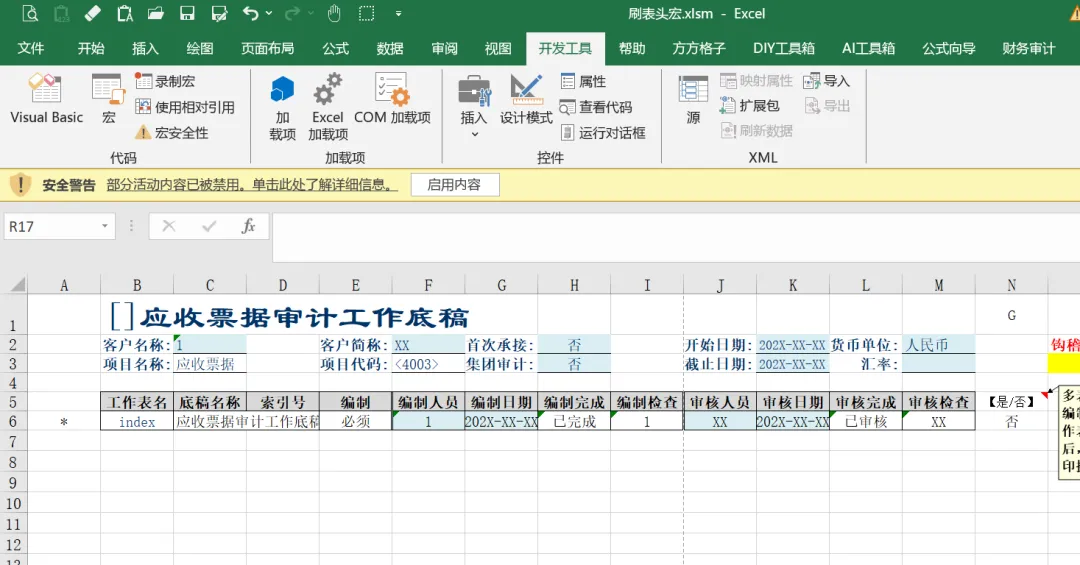
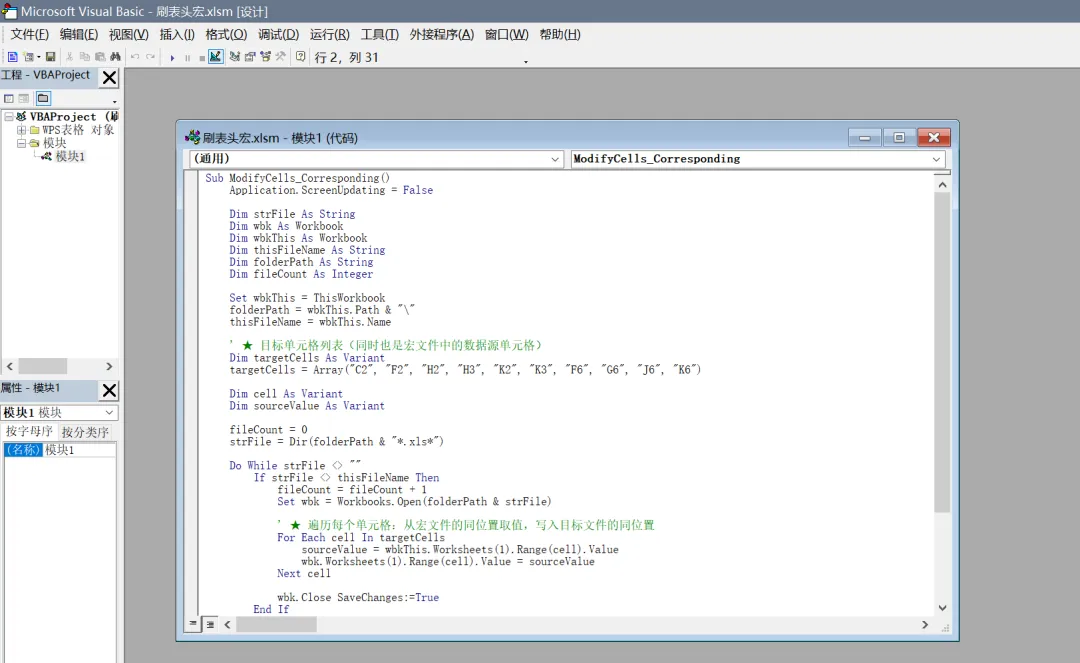
Sub ModifyCells_Corresponding() Application.ScreenUpdating = False Dim strFile As String Dim wbk As Workbook Dim wbkThis As Workbook Dim thisFileName As String Dim folderPath As String Dim fileCount As Integer Set wbkThis = ThisWorkbook folderPath = wbkThis.Path & "\" thisFileName = wbkThis.Name ' ★ 目标单元格列表(同时也是宏文件中的数据源单元格) Dim targetCells As Variant targetCells = Array("C2", "F2", "H2", "H3", "K2", "K3", "F6", "G6", "J6", "K6") Dim cell As Variant Dim sourceValue As Variant fileCount = 0 strFile = Dir(folderPath & "*.xls*") Do While strFile <> "" If strFile <> thisFileName Then fileCount = fileCount + 1 Set wbk = Workbooks.Open(folderPath & strFile) ' ★ 遍历每个单元格:从宏文件的同位置取值,写入目标文件的同位置 For Each cell In targetCells sourceValue = wbkThis.Worksheets(1).Range(cell).Value wbk.Worksheets(1).Range(cell).Value = sourceValue Next cell wbk.Close SaveChanges:=True End If strFile = Dir Loop Application.ScreenUpdating = True MsgBox "完成!共修改了 " & fileCount & " 个文件" & vbCrLf & _ "修改的单元格:C2, F2, H2, H3, K2, K3, F6, G6, J6, K6"End Sub