当前位置:首页>Word>四、文档解析:结构型文档-图片处理(pdf、word)

四、文档解析:结构型文档-图片处理(pdf、word)

  • 2026-04-08 11:57:13
四、文档解析:结构型文档-图片处理(pdf、word)
一、需求简介
    在处理文档时word/pdf文档会有图片,需要模型在回复时根据上下文进行输出,并能够显示图片。
二、思路
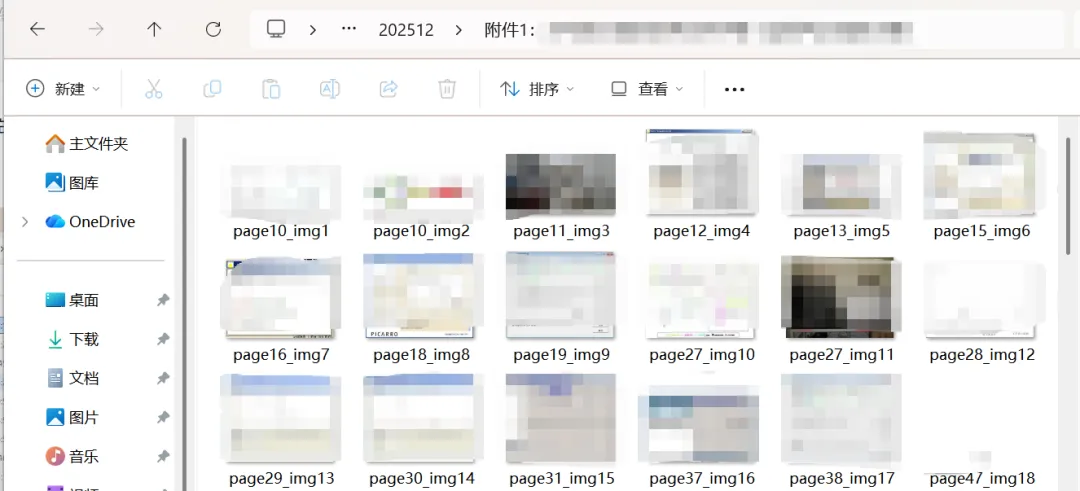
    1.将word/pdf文档中的图片保存到本地。
    2.word/pdf文档中的图片位置替换成http链接加本地路径。
    3.通过nginx配置,将本地图片进行发布。
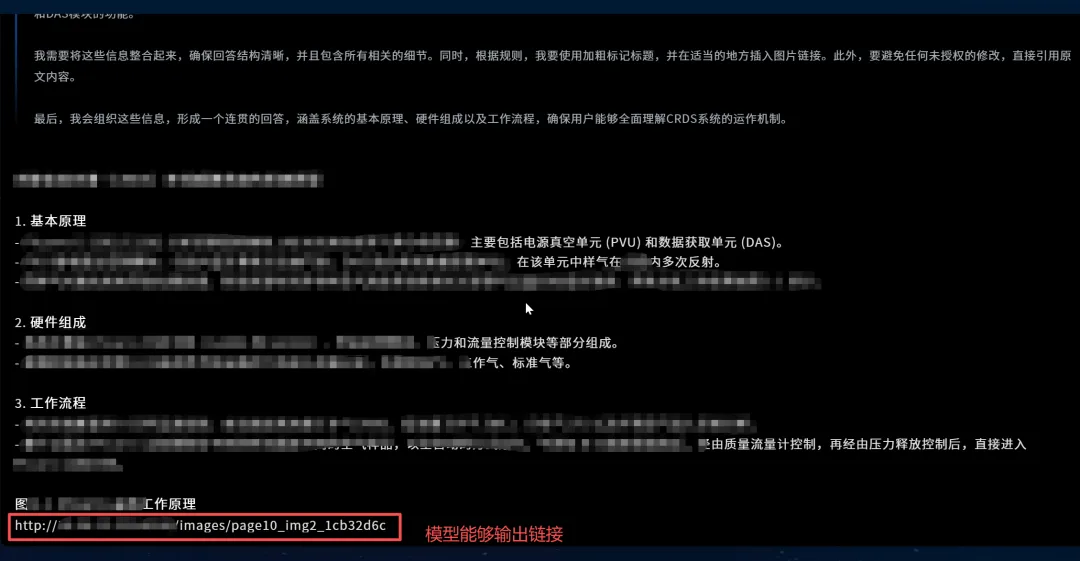
    4.调整提示词,让模型能够输出链接。
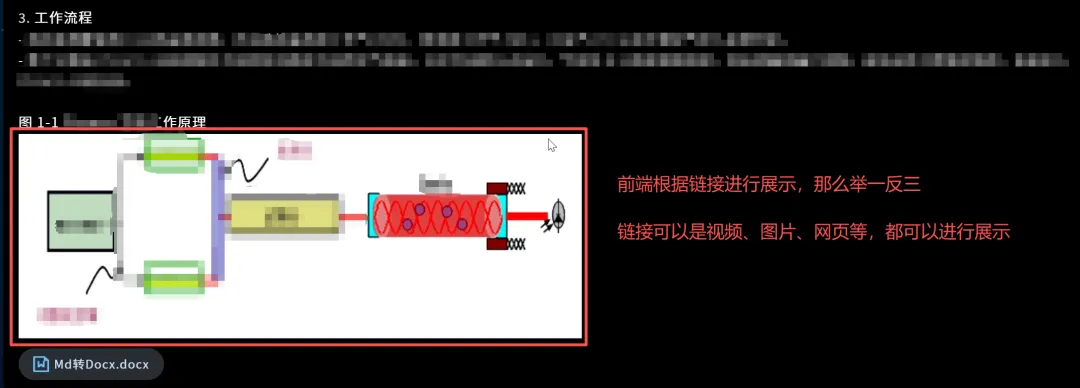
    5.前端设置div对http链接信息进行展示。
三、word代码实现
    1.word文档图片保存并替换链接。(注:源码同事李钊写,作者优化代码)
import datetimeimport osfrom docx import Documentfrom docx.oxml.ns import qnclass word_handle:    def __init__(self, word_pic: str, input_doc_path: str, output_doc_path: str):        self.word_pic = word_pic # 图片保存路径        self.input_doc_path = input_doc_path # 输入文件路径        self.file_name = input_doc_path.split("/")[-1]  # 文件名称        # 文件夹创建        startTime_pdf2img = datetime.datetime.now().strftime("%Y%m")        self.output_doc_path = output_doc_path + startTime_pdf2img + "/"        if not os.path.exists(self.output_doc_path):            os.makedirs(self.output_doc_path)        # 文件名生成        pic_file = self.file_name.split(".")[0]        self.word_pic_url = self.output_doc_path + pic_file + "/"  # word图片存放地址        if not os.path.exists(self.word_pic_url):            os.makedirs(self.word_pic_url)        self.output_doc_path = self.output_doc_path + self.file_name  # pdf保存地址        # nginx 图片地址        self.pic_url = word_pic + startTime_pdf2img + "/" + pic_file + "/"  # nginx图片地址    def replace_docx_images_with_paths(self, path_template="img_{}_{}.png"):        """        将DOCX中的图片替换为唯一的文件路径标识符 - 直接保存并替换版本        """        try:            total_image_counter = 0            saved_images_info = []  # 存储已保存的图片信息            # 创建图片保存目录            image_dir = os.path.dirname(path_template.format("docx""0"))            if image_dir and not os.path.exists(image_dir):                os.makedirs(image_dir, exist_ok=True)                print(f"创建图片目录: {image_dir}")            # 打开文档进行处理            doc = Document(self.input_doc_path)            print(f"总段落数: {len(doc.paragraphs)}")            # 预加载所有图片资源            all_image_parts = {}            for r_id, rel in doc.part.rels.items():                if "image" in rel.reltype:                    all_image_parts[r_id] = rel.target_part            print(f"文档关系中发现的图片资源数量: {len(all_image_parts)}")            # 处理段落中的图片            paragraph_image_count = 0            for i, paragraph in enumerate(doc.paragraphs):                if paragraph._element.xpath('.//pic:pic'):                    image_elements = paragraph._element.xpath('.//pic:pic')                    print(f"段落 {i} 发现 {len(image_elements)} 张图片")                    for img_elem in image_elements:                        paragraph_image_count += 1                        try:                            # 获取图片关系ID                            blip = img_elem.xpath('.//a:blip')[0]                            r_id = blip.get(qn('r:embed'))                            if r_id and r_id in all_image_parts:                                # 获取图片数据                                image_part = all_image_parts[r_id]                                image_data = image_part.blob                                # 获取图片格式                                image_ext = "png"  # 默认值                                if hasattr(image_part, 'partname'and image_part.partname:                                    ext = os.path.splitext(image_part.partname)[1]                                    if ext:                                        image_ext = ext.lstrip('.')                                # 生成文件路径                                file_path = self.word_pic_url + path_template.format("docx", paragraph_image_count)+".png"                                # 保存图片文件                                with open(file_path, "wb"as img_file:                                    img_file.write(image_data)                                total_image_counter += 1                                print(f"  保存图片 {paragraph_image_count}{file_path} (大小: {len(image_data)} 字节)")                                # 记录图片信息                                img_info = {                                    'r_id': r_id,                                    'filepath': file_path,                                    'format': image_ext,                                    'size'len(image_data)                                }                                saved_images_info.append(img_info)                                # 在图片位置插入路径文本                                path_text = self.pic_url + file_path.split("/")[-1]                                paragraph.text = f"{paragraph.text}\n{path_text}" if paragraph.text else path_text                                print(f"  替换图片 {paragraph_image_count}{path_text}")                            else:                                print(f"  警告: 无法获取关系ID {r_id} 对应的图片数据")                        except Exception as e:                            print(f"  处理段落图片时出错: {e}")            # 处理表格中的图片            table_image_count = 0            for table_index, table in enumerate(doc.tables):                for row_index, row in enumerate(table.rows):                    for cell_index, cell in enumerate(row.cells):                        for para_index, paragraph in enumerate(cell.paragraphs):                            if paragraph._element.xpath('.//pic:pic'):                                image_elements = paragraph._element.xpath('.//pic:pic')                                for img_elem in image_elements:                                    table_image_count += 1                                    try:                                        blip = img_elem.xpath('.//a:blip')[0]                                        r_id = blip.get(qn('r:embed'))                                        if r_id and r_id in all_image_parts:                                            # 获取图片数据                                            image_part = all_image_parts[r_id]                                            image_data = image_part.blob                                            # 获取图片格式                                            image_ext = "png"                                            if hasattr(image_part, 'partname'and image_part.partname:                                                ext = os.path.splitext(image_part.partname)[1]                                                if ext:                                                    image_ext = ext.lstrip('.')                                            # 计算总图片序号                                            total_index = paragraph_image_count + table_image_count                                            file_path = self.word_pic_url + path_template.format("docx",                                                                                                 total_index)                                            # 保存图片文件                                            with open(file_path, "wb"as img_file:                                                img_file.write(image_data)                                            total_image_counter += 1                                            print(                                                f"  保存表格图片 {table_image_count}{file_path} (大小: {len(image_data)} 字节)")                                            # 记录图片信息                                            img_info = {                                                'r_id': r_id,                                                'filepath': file_path,                                                'format': image_ext,                                                'size'len(image_data)                                            }                                            saved_images_info.append(img_info)                                            # 在图片位置插入路径文本                                            # path_text = self.word_pic+f"{file_path}"                                            path_text = self.pic_url + file_path.split("/")[-1]                                            if paragraph.text:                                                paragraph.text = f"{paragraph.text}\n{path_text}"                                            else:                                                paragraph.text = path_text                                        else:                                            print(f"  警告: 无法获取表格图片的关系ID {r_id} 数据")                                    except Exception as e:                                        print(f"  处理表格图片时出错: {e}")            print(f"发现并处理图片数量: {total_image_counter}")            # 保存修改后的DOCX文档            print(f"保存处理结果到: {self.output_doc_path}")            doc.save(self.output_doc_path)            return True        except Exception as e:            print(f"处理DOCX时发生错误: {e}")            return False    # 保留其他辅助函数    def detect_adjacent_images_docx(self, paragraph):        """        检测段落中相邻的图片(DOCX版本)        """        try:            image_elements = paragraph._element.xpath('.//pic:pic')            if len(image_elements) > 1:                print(f"检测到段落中有 {len(image_elements)} 张相邻图片")                return image_elements            return []        except Exception as e:            print(f"检测相邻图片时出错: {e}")            return []    def process_image_group_docx(self, paragraph, image_elements, image_info, group_index):        """        处理并排图片组(DOCX版本)        """        try:            paths_text = ""            for i, img_elem in enumerate(image_elements):                try:                    blip = img_elem.xpath('.//a:blip')[0]                    r_id = blip.get(qn('r:embed'))                    if r_id and r_id in [img['r_id'for img in image_info]:                        img_data = next((img for img in image_info if img['r_id'] == r_id), None)                        if img_data:                            paths_text += f"{img_data['filepath']}\n"                except Exception as e:                    print(f"  处理图片组中图片 {i} 时出错: {e}")            # 在段落中添加路径文本            paragraph.text = f"{paragraph.text}\n[图片组 {group_index + 1} \n{paths_text}]"        except Exception as e:            print(f"处理图片组时出错: {e}")# 使用示例if __name__ == "__main__":    # 执行图片替换    word = word_handle(        input_doc_path="D:/data/pdf转word/附件2:大气成分观测业务技术手册(气溶胶观测分册).docx"# 输入DOCX文件路径        output_doc_path="D:/data/pic_file/"# 输出DOCX文件路径及图片路径        word_pic="http://127.0.0.1:8100/" # nginx访问前缀    )    word.replace_docx_images_with_paths(        path_template="page{}_img{}" # 图片保存路径模板    )
    2.大家会在D:/data/pic_file目录下生成当前年月文件夹,其中就有生成好的文档跟对应名称的图片文件夹。
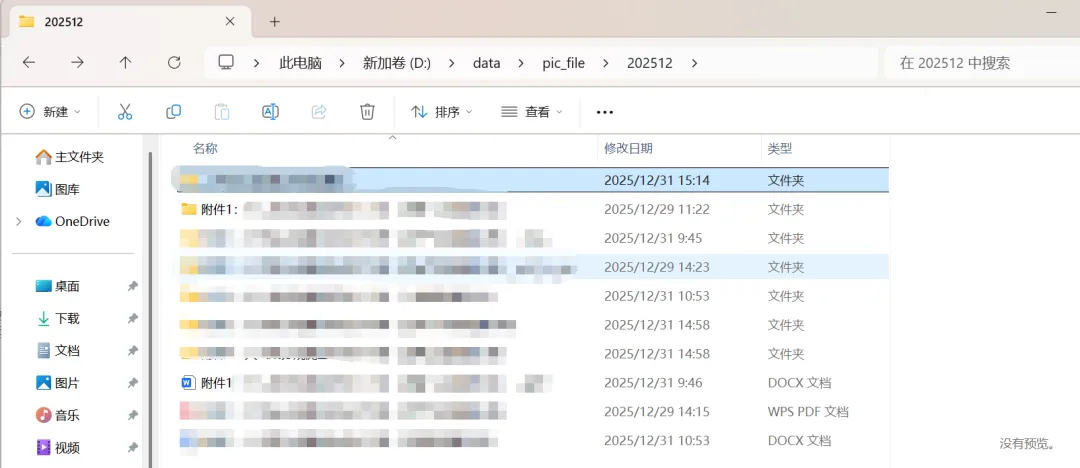
    3.然后通过nginx发布本地图片保证word文档中对应图片链接地址能够访问。
server {   listen 8100;   server_name 127.0.0.1;   location / {       alias D:/data/pic_file/; # 映射本地路径       expires 7d# 设置缓存时间为7天       access_log off# 关闭访问日志       add_header Cache-Control "public";       try_files $uri $uri/ =404# 文件不存在时返回404   }}
四、pdf解析代码实现
    1.pdf文档图片保存并替换链接。(注:源码同事李钊写,作者优化代码)
import datetimeimport fitzimport osclass pdf_total:    def __init__(self, input_url: str, output_url: str, pic_url: str):        self.input_url = str(input_url)        self.output_url = output_url        self.file_name = input_url.split("/")[-1# 文件名称        # 文件夹创建        startTime_pdf2img = datetime.datetime.now().strftime("%Y%m")        self.output_url = output_url+startTime_pdf2img+"/"        if not os.path.exists(self.output_url):            os.makedirs(self.output_url)        # 文件名生成        pic_file = self.file_name.split(".")[0]        self.pdf_pic_url = self.output_url + pic_file + "/"  # pdf 图片存放地址        self.pdf_pic = self.output_url + pic_file + "_pdf_to_pic" + "/"  # pdf转图片保存地址        if not os.path.exists(self.pdf_pic_url):            os.makedirs(self.pdf_pic_url)        if not os.path.exists(self.pdf_pic):            os.makedirs(self.pdf_pic)        self.output_url = self.output_url+self.file_name # pdf保存地址        # nginx 图片地址        self.pic_url = pic_url+startTime_pdf2img+"/"+pic_file+"/"  # nginx图片地址    def replace_pdf_images_with_paths(self, path_template="images/img_{}_{}.png"):        """        将PDF中的图片替换为唯一的文件路径标识符 - 增强版(解决并排图片重叠问题)        """        try:            pdf_path = self.input_url[0]            output_path = self.output_url            doc = fitz.open(pdf_path)            print(f"开始处理PDF: {pdf_path}")            print(f"总页数: {len(doc)}")            # 用于跟踪全局图片数量和页面信息            total_image_counter = 0            page_image_rects = {}  # 存储每页已占用的矩形区域,避免重叠            # unique_id = str(uuid.uuid4())[:8]            # 遍历每一页            for page_num in range(len(doc)):                if page_num == 91:                    print(page_num)                page = doc[page_num]                print(f"处理第 {page_num + 1} 页...")                # 初始化当前页的已占用区域记录                page_image_rects[page_num] = []                # 获取当前页的所有图片                image_list = page.get_images(full=True)                print(f"  发现 {len(image_list)} 张图片")                # 首先收集所有图片的精确位置                image_data_list = []                for img_index, img_info in enumerate(image_list):                    total_image_counter += 1                    try:                        img_bbox = page.get_image_bbox(img_info)                        if img_bbox and not img_bbox.is_empty:                            image_data_list.append({                                'img_info': img_info,                                'img_bbox': img_bbox,                                'img_index': img_index,                                'total_index': total_image_counter                            })                            print(f"  图片 {total_image_counter}: 位置 {img_bbox}")                    except Exception as e:                        print(f"  获取图片 {total_image_counter} 位置时出错: {e}")                        continue                # 检测并处理并排图片                grouped_images = self.detect_adjacent_images(image_data_list)                # 处理分组后的图片                for group_index, image_group in enumerate(grouped_images):                    if len(image_group) > 1:                        print(f"  检测到并排图片组 {group_index + 1}, 包含 {len(image_group)} 张图片")                        self.process_image_group(page, image_group, group_index, page_num,                                            path_template, doc, page_image_rects[page_num])                    else:                        # 单张图片处理                        for img_data in image_group:                            self.process_single_image(page, img_data, page_num, path_template,                                                 doc, page_image_rects[page_num])            # 删除图片            for page_num in range(len(doc)):                page = doc[page_num]                print(f"处理第 {page_num + 1} 页...")                # 获取当前页的所有图片                image_list = page.get_images(full=True)                print(f"  发现 {len(image_list)} 张图片")                # 处理当前页的每张图片                for img_index, img_info in enumerate(image_list):                    total_image_counter += 1                    try:                        # 提取并保存原始图片数据                        xref = img_info[0]  # 获取图片的交叉引用号                        # 删除原图片                        doc._deleteObject(xref)                        print(f"    已删除图片 {total_image_counter},XREF: {xref}")                    except Exception as e:                        print(f"  处理图片 {total_image_counter} 时出错: {e}")                        continue            # 保存修改后的PDF            print(f"保存处理结果到: {output_path}")            doc.save(output_path)            doc.close()            print(f"处理完成!共替换 {total_image_counter} 张图片")            return True        except Exception as e:            print(f"处理PDF时发生错误: {e}")            return False    def detect_adjacent_images(self, image_data_list, horizontal_threshold=50, vertical_threshold=30):        """        检测并排或相邻的图片并进行分组        """        if not image_data_list:            return []        # 按Y坐标(垂直位置)进行初步分组        image_data_list.sort(key=lambda x: (x['img_bbox'].y0, x['img_bbox'].x0))        groups = []        current_group = [image_data_list[0]]        for i in range(1len(image_data_list)):            current_bbox = image_data_list[i]['img_bbox']            prev_bbox = image_data_list[i - 1]['img_bbox']            # 判断是否属于同一行(Y坐标相近)且X坐标相邻            same_row = abs(current_bbox.y0 - prev_bbox.y0) < vertical_threshold            horizontally_close = (current_bbox.x0 - prev_bbox.x1) < horizontal_threshold            if same_row and horizontally_close:                current_group.append(image_data_list[i])            else:                if current_group:                    groups.append(current_group)                current_group = [image_data_list[i]]        if current_group:            groups.append(current_group)        return groups    def process_image_group(self, page, image_group, group_index, page_num, path_template, doc, used_rects):        """        处理并排图片组,优化文本布局避免重叠        """        try:            # 计算整个图片组的边界框            group_bbox = fitz.Rect(                min(img['img_bbox'].x0 for img in image_group),                min(img['img_bbox'].y0 for img in image_group),                max(img['img_bbox'].x1 for img in image_group),                max(img['img_bbox'].y1 for img in image_group)            )            # 在图片组下方创建统一的文本标注区域            text_rect = fitz.Rect(                group_bbox.x0,                group_bbox.y1 - 50,  # 在图片组下方5个单位                group_bbox.x1,                group_bbox.y1 + 50  # 文本区域高度            )            # 检查该区域是否与已有内容重叠            if not self.check_rect_overlap(text_rect, used_rects):                # 生成组合的路径文本                paths_text = ""                for i, img_data in enumerate(image_group):                    # base_path = path_template.format(page_num + 1, img_data['total_index'])                    # file_path = f"{base_path}"                    file_path = self.pdf_pic_url + path_template.format(page_num + 1, img_data['total_index'])                    # 处理单张图片(提取、保存、删除)                    success,file_name = self.process_single_image_operations(                        page, img_data, file_path, doc, used_rects                    )                    if success:                        paths_text += f"{file_name}\n"                # 添加组合文本标注                self.add_optimized_path_marker(page, text_rect, paths_text, f"group_{group_index}")                used_rects.append(text_rect)        except Exception as e:            print(f"  处理图片组时出错: {e}")    def process_single_image(self, page, img_data, page_num, path_template, doc, used_rects):        """        处理单张图片(非并排情况)        """        try:            # base_path = path_template.format(page_num + 1, img_data['total_index'])            # file_path = f"{base_path}"            file_path = self.pdf_pic_url + path_template.format(page_num + 1, img_data['total_index'])            success,file_name = self.process_single_image_operations(                page, img_data, file_path, doc, used_rects            )            if success:                # 寻找合适的文本位置(避免重叠)                text_rect = self.find_optimal_text_position(                    img_data['img_bbox'], used_rects, page.rect                )                paths_text = f"{file_name}\n"                if text_rect:                    self.add_optimized_path_marker(page, text_rect, paths_text, img_data['total_index'])                    used_rects.append(text_rect)        except Exception as e:            print(f"  处理单张图片 {img_data['total_index']} 时出错: {e}")    def process_single_image_operations(self, page, img_data, file_path, doc, used_rects):        """        执行单张图片的处理操作:提取、保存、删除        """        try:            xref = img_data['img_info'][0]            base_image = doc.extract_image(xref)            if not base_image:                return False            # 保存图片            image_bytes = base_image["image"]            image_ext = base_image.get("ext""png")            filename = f"{file_path}.{image_ext}"            # 确保目录存在            os.makedirs(os.path.dirname(filename) if os.path.dirname(filename) else ".", exist_ok=True)            with open(filename, "wb"as img_file:                img_file.write(image_bytes)            print(f"图片已保存为: {filename}")            # 删除原图片            # doc._deleteObject(xref)            # print(f"    已删除图片 {img_data['total_index']},XREF: {xref}")]            filename = self.pic_url + filename.split("/")[-1]            return True, filename        except Exception as e:            print(f"  图片操作失败: {e}")            return False    def find_optimal_text_position(self, img_bbox, used_rects, page_rect, margin=5):        """        为文本标注寻找最优位置,避免与已有内容重叠        """        # 尝试多个可能的位置        potential_positions = [            # 图片下方            fitz.Rect(img_bbox.x0, img_bbox.y1 + margin,                      img_bbox.x1, img_bbox.y1 + margin + 10),            # 图片上方            fitz.Rect(img_bbox.x0, img_bbox.y0 - margin - 10,                      img_bbox.x1, img_bbox.y0 - margin),            # 图片右侧            fitz.Rect(img_bbox.x1 + margin, img_bbox.y0,                      img_bbox.x1 + margin + 20, img_bbox.y1),            # 图片左侧            fitz.Rect(img_bbox.x0 - margin - 20, img_bbox.y0,                      img_bbox.x0 - margin, img_bbox.y1)        ]        for pos in potential_positions:            # 确保位置在页面范围内            pos.intersect(page_rect)            if pos.is_empty:                continue            # 检查是否与已有内容重叠            if not self.check_rect_overlap(pos, used_rects) and pos.width > 50 and pos.height > 10:                return pos        # 如果所有位置都重叠,返回图片内部的一个安全区域        safe_rect = fitz.Rect(            img_bbox.x0 + margin,            img_bbox.y0 + margin,            img_bbox.x1 - margin,            img_bbox.y1 - margin        )        return safe_rect if not safe_rect.is_empty else img_bbox    def check_rect_overlap(self, rect, used_rects, overlap_threshold=0.2):        """        检查矩形是否与已使用的矩形区域重叠        """        original_rect = fitz.Rect(rect.x0, rect.y0, rect.x1, rect.y1)        for used_rect in used_rects:            intersection = original_rect.intersect(used_rect)            if not intersection.is_empty:                # 计算重叠面积比例                overlap_ratio = (intersection.width * intersection.height) / (original_rect.width * original_rect.height)                if overlap_ratio > overlap_threshold:                    return True        return False    def add_optimized_path_marker(self, page, text_rect, text, marker_id):        """        优化的路径标记添加函数,支持自动换行和自适应字体        """        try:            # 根据文本长度和矩形大小计算合适的字体            text_length = len(text)            available_width = text_rect.width            available_height = text_rect.height            # 动态计算字体大小            font_size_by_width = max(6min(12, available_width / max(1, text_length) * 1.5))            font_size_by_height = max(6min(12, available_height * 0.8))            font_size = min(font_size_by_width, font_size_by_height)            # 使用文本框支持自动换行            annot = page.add_freetext_annot(                rect=text_rect,                text=text,                fontsize=font_size,                fontname="cour",            )            print(f"    添加路径标记: '{text[:50]}...' 在区域 {text_rect}")        except Exception as e:            print(f"    添加优化文本标记失败: {e}")    def extract_images_with_info(self, pdf_path, output_dir="extracted_images"):        """        提取PDF中的图片并保存,同时生成路径信息(用于调试和验证)        """        if not os.path.exists(output_dir):            os.makedirs(output_dir)        doc = fitz.open(pdf_path)        image_info = []        for page_num in range(len(doc)):            page = doc[page_num]            image_list = page.get_images()            for img_index, img_info in enumerate(image_list):                xref = img_info[0]                try:                    # 提取图片                    base_image = doc.extract_image(xref)                    if base_image:                        # 生成唯一文件名                        file_extension = base_image.get("ext""png")                        filename = f"page{page_num + 1}_img{img_index + 1}_xref{xref}.{file_extension}"                        filepath = os.path.join(output_dir, filename)                        # 保存图片                        with open(filepath, "wb"as f:                            f.write(base_image["image"])                        # 记录图片信息                        img_data = {                            "page": page_num + 1,                            "index": img_index + 1,                            "xref": xref,                            "width": base_image.get("width""未知"),                            "height": base_image.get("height""未知"),                            "format": file_extension,                            "filepath": filepath                        }                        image_info.append(img_data)                        print(f"提取图片: {filename}")                except Exception as e:                    print(f"提取图片失败: {e}")        doc.close()        # 生成图片信息报告        report_path = os.path.join(output_dir, "image_report.txt")        with open(report_path, "w", encoding="utf-8"as f:            f.write("PDF图片提取报告\n")            f.write("=" * 50 + "\n")            for info in image_info:                f.write(f"页面: {info['page']}, 索引: {info['index']}, XREF: {info['xref']}\n")                f.write(f"尺寸: {info['width']}x{info['height']}, 格式: {info['format']}\n")                f.write(f"保存路径: {info['filepath']}\n")                f.write("-" * 30 + "\n")        print(f"图片提取完成!共提取 {len(image_info)} 张图片")        print(f"报告已保存至: {report_path}")        return image_infoif __name__ == "__main__":    pdf = pdf_total(        input_url="D:/data/基础训练材料 - 副本/附件1:大气成分观测业务技术手册(温室气体观测分册).pdf"# 输入的pdf        output_url="D:/data/pic_file/"# pdf输出路径        pic_url="http://127.0.0.1:8100/"# pdf文件中 图片替换的路径        # pdf_pic_url="D:/data/pdf/202512/images" # pdf图片保存路径    )    # 执行图片替换为路径标识符    pdf.replace_pdf_images_with_paths(path_template="page{}_img{}")
四、最终成果
    先展示下成果,等写完整体的教程大家就知道后续该怎么做了。

最新文章

随机文章

基本 文件 流程 错误 SQL 调试
  1. 请求信息 : 2026-04-25 02:07:46 HTTP/2.0 GET : https://h.sjds.net/a/458452.html
  2. 运行时间 : 0.113814s [ 吞吐率:8.79req/s ] 内存消耗:4,647.38kb 文件加载:140
  3. 缓存信息 : 0 reads,0 writes
  4. 会话信息 : SESSION_ID=10aafbb308500a4e48cfd75a4e3fb572
  1. /yingpanguazai/ssd/ssd1/www/h.sjds.net/public/index.php ( 0.79 KB )
  2. /yingpanguazai/ssd/ssd1/www/h.sjds.net/vendor/autoload.php ( 0.17 KB )
  3. /yingpanguazai/ssd/ssd1/www/h.sjds.net/vendor/composer/autoload_real.php ( 2.49 KB )
  4. /yingpanguazai/ssd/ssd1/www/h.sjds.net/vendor/composer/platform_check.php ( 0.90 KB )
  5. /yingpanguazai/ssd/ssd1/www/h.sjds.net/vendor/composer/ClassLoader.php ( 14.03 KB )
  6. /yingpanguazai/ssd/ssd1/www/h.sjds.net/vendor/composer/autoload_static.php ( 4.90 KB )
  7. /yingpanguazai/ssd/ssd1/www/h.sjds.net/vendor/topthink/think-helper/src/helper.php ( 8.34 KB )
  8. /yingpanguazai/ssd/ssd1/www/h.sjds.net/vendor/topthink/think-validate/src/helper.php ( 2.19 KB )
  9. /yingpanguazai/ssd/ssd1/www/h.sjds.net/vendor/topthink/think-orm/src/helper.php ( 1.47 KB )
  10. /yingpanguazai/ssd/ssd1/www/h.sjds.net/vendor/topthink/think-orm/stubs/load_stubs.php ( 0.16 KB )
  11. /yingpanguazai/ssd/ssd1/www/h.sjds.net/vendor/topthink/framework/src/think/Exception.php ( 1.69 KB )
  12. /yingpanguazai/ssd/ssd1/www/h.sjds.net/vendor/topthink/think-container/src/Facade.php ( 2.71 KB )
  13. /yingpanguazai/ssd/ssd1/www/h.sjds.net/vendor/symfony/deprecation-contracts/function.php ( 0.99 KB )
  14. /yingpanguazai/ssd/ssd1/www/h.sjds.net/vendor/symfony/polyfill-mbstring/bootstrap.php ( 8.26 KB )
  15. /yingpanguazai/ssd/ssd1/www/h.sjds.net/vendor/symfony/polyfill-mbstring/bootstrap80.php ( 9.78 KB )
  16. /yingpanguazai/ssd/ssd1/www/h.sjds.net/vendor/symfony/var-dumper/Resources/functions/dump.php ( 1.49 KB )
  17. /yingpanguazai/ssd/ssd1/www/h.sjds.net/vendor/topthink/think-dumper/src/helper.php ( 0.18 KB )
  18. /yingpanguazai/ssd/ssd1/www/h.sjds.net/vendor/symfony/var-dumper/VarDumper.php ( 4.30 KB )
  19. /yingpanguazai/ssd/ssd1/www/h.sjds.net/vendor/topthink/framework/src/think/App.php ( 15.30 KB )
  20. /yingpanguazai/ssd/ssd1/www/h.sjds.net/vendor/topthink/think-container/src/Container.php ( 15.76 KB )
  21. /yingpanguazai/ssd/ssd1/www/h.sjds.net/vendor/psr/container/src/ContainerInterface.php ( 1.02 KB )
  22. /yingpanguazai/ssd/ssd1/www/h.sjds.net/app/provider.php ( 0.19 KB )
  23. /yingpanguazai/ssd/ssd1/www/h.sjds.net/vendor/topthink/framework/src/think/Http.php ( 6.04 KB )
  24. /yingpanguazai/ssd/ssd1/www/h.sjds.net/vendor/topthink/think-helper/src/helper/Str.php ( 7.29 KB )
  25. /yingpanguazai/ssd/ssd1/www/h.sjds.net/vendor/topthink/framework/src/think/Env.php ( 4.68 KB )
  26. /yingpanguazai/ssd/ssd1/www/h.sjds.net/app/common.php ( 0.03 KB )
  27. /yingpanguazai/ssd/ssd1/www/h.sjds.net/vendor/topthink/framework/src/helper.php ( 18.78 KB )
  28. /yingpanguazai/ssd/ssd1/www/h.sjds.net/vendor/topthink/framework/src/think/Config.php ( 5.54 KB )
  29. /yingpanguazai/ssd/ssd1/www/h.sjds.net/config/app.php ( 0.95 KB )
  30. /yingpanguazai/ssd/ssd1/www/h.sjds.net/config/cache.php ( 0.78 KB )
  31. /yingpanguazai/ssd/ssd1/www/h.sjds.net/config/console.php ( 0.23 KB )
  32. /yingpanguazai/ssd/ssd1/www/h.sjds.net/config/cookie.php ( 0.56 KB )
  33. /yingpanguazai/ssd/ssd1/www/h.sjds.net/config/database.php ( 2.48 KB )
  34. /yingpanguazai/ssd/ssd1/www/h.sjds.net/vendor/topthink/framework/src/think/facade/Env.php ( 1.67 KB )
  35. /yingpanguazai/ssd/ssd1/www/h.sjds.net/config/filesystem.php ( 0.61 KB )
  36. /yingpanguazai/ssd/ssd1/www/h.sjds.net/config/lang.php ( 0.91 KB )
  37. /yingpanguazai/ssd/ssd1/www/h.sjds.net/config/log.php ( 1.35 KB )
  38. /yingpanguazai/ssd/ssd1/www/h.sjds.net/config/middleware.php ( 0.19 KB )
  39. /yingpanguazai/ssd/ssd1/www/h.sjds.net/config/route.php ( 1.89 KB )
  40. /yingpanguazai/ssd/ssd1/www/h.sjds.net/config/session.php ( 0.57 KB )
  41. /yingpanguazai/ssd/ssd1/www/h.sjds.net/config/trace.php ( 0.34 KB )
  42. /yingpanguazai/ssd/ssd1/www/h.sjds.net/config/view.php ( 0.82 KB )
  43. /yingpanguazai/ssd/ssd1/www/h.sjds.net/app/event.php ( 0.25 KB )
  44. /yingpanguazai/ssd/ssd1/www/h.sjds.net/vendor/topthink/framework/src/think/Event.php ( 7.67 KB )
  45. /yingpanguazai/ssd/ssd1/www/h.sjds.net/app/service.php ( 0.13 KB )
  46. /yingpanguazai/ssd/ssd1/www/h.sjds.net/app/AppService.php ( 0.26 KB )
  47. /yingpanguazai/ssd/ssd1/www/h.sjds.net/vendor/topthink/framework/src/think/Service.php ( 1.64 KB )
  48. /yingpanguazai/ssd/ssd1/www/h.sjds.net/vendor/topthink/framework/src/think/Lang.php ( 7.35 KB )
  49. /yingpanguazai/ssd/ssd1/www/h.sjds.net/vendor/topthink/framework/src/lang/zh-cn.php ( 13.70 KB )
  50. /yingpanguazai/ssd/ssd1/www/h.sjds.net/vendor/topthink/framework/src/think/initializer/Error.php ( 3.31 KB )
  51. /yingpanguazai/ssd/ssd1/www/h.sjds.net/vendor/topthink/framework/src/think/initializer/RegisterService.php ( 1.33 KB )
  52. /yingpanguazai/ssd/ssd1/www/h.sjds.net/vendor/services.php ( 0.14 KB )
  53. /yingpanguazai/ssd/ssd1/www/h.sjds.net/vendor/topthink/framework/src/think/service/PaginatorService.php ( 1.52 KB )
  54. /yingpanguazai/ssd/ssd1/www/h.sjds.net/vendor/topthink/framework/src/think/service/ValidateService.php ( 0.99 KB )
  55. /yingpanguazai/ssd/ssd1/www/h.sjds.net/vendor/topthink/framework/src/think/service/ModelService.php ( 2.04 KB )
  56. /yingpanguazai/ssd/ssd1/www/h.sjds.net/vendor/topthink/think-trace/src/Service.php ( 0.77 KB )
  57. /yingpanguazai/ssd/ssd1/www/h.sjds.net/vendor/topthink/framework/src/think/Middleware.php ( 6.72 KB )
  58. /yingpanguazai/ssd/ssd1/www/h.sjds.net/vendor/topthink/framework/src/think/initializer/BootService.php ( 0.77 KB )
  59. /yingpanguazai/ssd/ssd1/www/h.sjds.net/vendor/topthink/think-orm/src/Paginator.php ( 11.86 KB )
  60. /yingpanguazai/ssd/ssd1/www/h.sjds.net/vendor/topthink/think-validate/src/Validate.php ( 63.20 KB )
  61. /yingpanguazai/ssd/ssd1/www/h.sjds.net/vendor/topthink/think-orm/src/Model.php ( 23.55 KB )
  62. /yingpanguazai/ssd/ssd1/www/h.sjds.net/vendor/topthink/think-orm/src/model/concern/Attribute.php ( 21.05 KB )
  63. /yingpanguazai/ssd/ssd1/www/h.sjds.net/vendor/topthink/think-orm/src/model/concern/AutoWriteData.php ( 4.21 KB )
  64. /yingpanguazai/ssd/ssd1/www/h.sjds.net/vendor/topthink/think-orm/src/model/concern/Conversion.php ( 6.44 KB )
  65. /yingpanguazai/ssd/ssd1/www/h.sjds.net/vendor/topthink/think-orm/src/model/concern/DbConnect.php ( 5.16 KB )
  66. /yingpanguazai/ssd/ssd1/www/h.sjds.net/vendor/topthink/think-orm/src/model/concern/ModelEvent.php ( 2.33 KB )
  67. /yingpanguazai/ssd/ssd1/www/h.sjds.net/vendor/topthink/think-orm/src/model/concern/RelationShip.php ( 28.29 KB )
  68. /yingpanguazai/ssd/ssd1/www/h.sjds.net/vendor/topthink/think-helper/src/contract/Arrayable.php ( 0.09 KB )
  69. /yingpanguazai/ssd/ssd1/www/h.sjds.net/vendor/topthink/think-helper/src/contract/Jsonable.php ( 0.13 KB )
  70. /yingpanguazai/ssd/ssd1/www/h.sjds.net/vendor/topthink/think-orm/src/model/contract/Modelable.php ( 0.09 KB )
  71. /yingpanguazai/ssd/ssd1/www/h.sjds.net/vendor/topthink/framework/src/think/Db.php ( 2.88 KB )
  72. /yingpanguazai/ssd/ssd1/www/h.sjds.net/vendor/topthink/think-orm/src/DbManager.php ( 8.52 KB )
  73. /yingpanguazai/ssd/ssd1/www/h.sjds.net/vendor/topthink/framework/src/think/Log.php ( 6.28 KB )
  74. /yingpanguazai/ssd/ssd1/www/h.sjds.net/vendor/topthink/framework/src/think/Manager.php ( 3.92 KB )
  75. /yingpanguazai/ssd/ssd1/www/h.sjds.net/vendor/psr/log/src/LoggerTrait.php ( 2.69 KB )
  76. /yingpanguazai/ssd/ssd1/www/h.sjds.net/vendor/psr/log/src/LoggerInterface.php ( 2.71 KB )
  77. /yingpanguazai/ssd/ssd1/www/h.sjds.net/vendor/topthink/framework/src/think/Cache.php ( 4.92 KB )
  78. /yingpanguazai/ssd/ssd1/www/h.sjds.net/vendor/psr/simple-cache/src/CacheInterface.php ( 4.71 KB )
  79. /yingpanguazai/ssd/ssd1/www/h.sjds.net/vendor/topthink/think-helper/src/helper/Arr.php ( 16.63 KB )
  80. /yingpanguazai/ssd/ssd1/www/h.sjds.net/vendor/topthink/framework/src/think/cache/driver/File.php ( 7.84 KB )
  81. /yingpanguazai/ssd/ssd1/www/h.sjds.net/vendor/topthink/framework/src/think/cache/Driver.php ( 9.03 KB )
  82. /yingpanguazai/ssd/ssd1/www/h.sjds.net/vendor/topthink/framework/src/think/contract/CacheHandlerInterface.php ( 1.99 KB )
  83. /yingpanguazai/ssd/ssd1/www/h.sjds.net/app/Request.php ( 0.09 KB )
  84. /yingpanguazai/ssd/ssd1/www/h.sjds.net/vendor/topthink/framework/src/think/Request.php ( 55.78 KB )
  85. /yingpanguazai/ssd/ssd1/www/h.sjds.net/app/middleware.php ( 0.25 KB )
  86. /yingpanguazai/ssd/ssd1/www/h.sjds.net/vendor/topthink/framework/src/think/Pipeline.php ( 2.61 KB )
  87. /yingpanguazai/ssd/ssd1/www/h.sjds.net/vendor/topthink/think-trace/src/TraceDebug.php ( 3.40 KB )
  88. /yingpanguazai/ssd/ssd1/www/h.sjds.net/vendor/topthink/framework/src/think/middleware/SessionInit.php ( 1.94 KB )
  89. /yingpanguazai/ssd/ssd1/www/h.sjds.net/vendor/topthink/framework/src/think/Session.php ( 1.80 KB )
  90. /yingpanguazai/ssd/ssd1/www/h.sjds.net/vendor/topthink/framework/src/think/session/driver/File.php ( 6.27 KB )
  91. /yingpanguazai/ssd/ssd1/www/h.sjds.net/vendor/topthink/framework/src/think/contract/SessionHandlerInterface.php ( 0.87 KB )
  92. /yingpanguazai/ssd/ssd1/www/h.sjds.net/vendor/topthink/framework/src/think/session/Store.php ( 7.12 KB )
  93. /yingpanguazai/ssd/ssd1/www/h.sjds.net/vendor/topthink/framework/src/think/Route.php ( 23.73 KB )
  94. /yingpanguazai/ssd/ssd1/www/h.sjds.net/vendor/topthink/framework/src/think/route/RuleName.php ( 5.75 KB )
  95. /yingpanguazai/ssd/ssd1/www/h.sjds.net/vendor/topthink/framework/src/think/route/Domain.php ( 2.53 KB )
  96. /yingpanguazai/ssd/ssd1/www/h.sjds.net/vendor/topthink/framework/src/think/route/RuleGroup.php ( 22.43 KB )
  97. /yingpanguazai/ssd/ssd1/www/h.sjds.net/vendor/topthink/framework/src/think/route/Rule.php ( 26.95 KB )
  98. /yingpanguazai/ssd/ssd1/www/h.sjds.net/vendor/topthink/framework/src/think/route/RuleItem.php ( 9.78 KB )
  99. /yingpanguazai/ssd/ssd1/www/h.sjds.net/route/app.php ( 1.72 KB )
  100. /yingpanguazai/ssd/ssd1/www/h.sjds.net/vendor/topthink/framework/src/think/facade/Route.php ( 4.70 KB )
  101. /yingpanguazai/ssd/ssd1/www/h.sjds.net/vendor/topthink/framework/src/think/route/dispatch/Controller.php ( 4.74 KB )
  102. /yingpanguazai/ssd/ssd1/www/h.sjds.net/vendor/topthink/framework/src/think/route/Dispatch.php ( 10.44 KB )
  103. /yingpanguazai/ssd/ssd1/www/h.sjds.net/app/controller/Index.php ( 4.81 KB )
  104. /yingpanguazai/ssd/ssd1/www/h.sjds.net/app/BaseController.php ( 2.05 KB )
  105. /yingpanguazai/ssd/ssd1/www/h.sjds.net/vendor/topthink/think-orm/src/facade/Db.php ( 0.93 KB )
  106. /yingpanguazai/ssd/ssd1/www/h.sjds.net/vendor/topthink/think-orm/src/db/connector/Mysql.php ( 5.44 KB )
  107. /yingpanguazai/ssd/ssd1/www/h.sjds.net/vendor/topthink/think-orm/src/db/PDOConnection.php ( 52.47 KB )
  108. /yingpanguazai/ssd/ssd1/www/h.sjds.net/vendor/topthink/think-orm/src/db/Connection.php ( 8.39 KB )
  109. /yingpanguazai/ssd/ssd1/www/h.sjds.net/vendor/topthink/think-orm/src/db/ConnectionInterface.php ( 4.57 KB )
  110. /yingpanguazai/ssd/ssd1/www/h.sjds.net/vendor/topthink/think-orm/src/db/builder/Mysql.php ( 16.58 KB )
  111. /yingpanguazai/ssd/ssd1/www/h.sjds.net/vendor/topthink/think-orm/src/db/Builder.php ( 24.06 KB )
  112. /yingpanguazai/ssd/ssd1/www/h.sjds.net/vendor/topthink/think-orm/src/db/BaseBuilder.php ( 27.50 KB )
  113. /yingpanguazai/ssd/ssd1/www/h.sjds.net/vendor/topthink/think-orm/src/db/Query.php ( 15.71 KB )
  114. /yingpanguazai/ssd/ssd1/www/h.sjds.net/vendor/topthink/think-orm/src/db/BaseQuery.php ( 45.13 KB )
  115. /yingpanguazai/ssd/ssd1/www/h.sjds.net/vendor/topthink/think-orm/src/db/concern/TimeFieldQuery.php ( 7.43 KB )
  116. /yingpanguazai/ssd/ssd1/www/h.sjds.net/vendor/topthink/think-orm/src/db/concern/AggregateQuery.php ( 3.26 KB )
  117. /yingpanguazai/ssd/ssd1/www/h.sjds.net/vendor/topthink/think-orm/src/db/concern/ModelRelationQuery.php ( 20.07 KB )
  118. /yingpanguazai/ssd/ssd1/www/h.sjds.net/vendor/topthink/think-orm/src/db/concern/ParamsBind.php ( 3.66 KB )
  119. /yingpanguazai/ssd/ssd1/www/h.sjds.net/vendor/topthink/think-orm/src/db/concern/ResultOperation.php ( 7.01 KB )
  120. /yingpanguazai/ssd/ssd1/www/h.sjds.net/vendor/topthink/think-orm/src/db/concern/WhereQuery.php ( 19.37 KB )
  121. /yingpanguazai/ssd/ssd1/www/h.sjds.net/vendor/topthink/think-orm/src/db/concern/JoinAndViewQuery.php ( 7.11 KB )
  122. /yingpanguazai/ssd/ssd1/www/h.sjds.net/vendor/topthink/think-orm/src/db/concern/TableFieldInfo.php ( 2.63 KB )
  123. /yingpanguazai/ssd/ssd1/www/h.sjds.net/vendor/topthink/think-orm/src/db/concern/Transaction.php ( 2.77 KB )
  124. /yingpanguazai/ssd/ssd1/www/h.sjds.net/vendor/topthink/framework/src/think/log/driver/File.php ( 5.96 KB )
  125. /yingpanguazai/ssd/ssd1/www/h.sjds.net/vendor/topthink/framework/src/think/contract/LogHandlerInterface.php ( 0.86 KB )
  126. /yingpanguazai/ssd/ssd1/www/h.sjds.net/vendor/topthink/framework/src/think/log/Channel.php ( 3.89 KB )
  127. /yingpanguazai/ssd/ssd1/www/h.sjds.net/vendor/topthink/framework/src/think/event/LogRecord.php ( 1.02 KB )
  128. /yingpanguazai/ssd/ssd1/www/h.sjds.net/vendor/topthink/think-helper/src/Collection.php ( 16.47 KB )
  129. /yingpanguazai/ssd/ssd1/www/h.sjds.net/vendor/topthink/framework/src/think/facade/View.php ( 1.70 KB )
  130. /yingpanguazai/ssd/ssd1/www/h.sjds.net/vendor/topthink/framework/src/think/View.php ( 4.39 KB )
  131. /yingpanguazai/ssd/ssd1/www/h.sjds.net/vendor/topthink/framework/src/think/Response.php ( 8.81 KB )
  132. /yingpanguazai/ssd/ssd1/www/h.sjds.net/vendor/topthink/framework/src/think/response/View.php ( 3.29 KB )
  133. /yingpanguazai/ssd/ssd1/www/h.sjds.net/vendor/topthink/framework/src/think/Cookie.php ( 6.06 KB )
  134. /yingpanguazai/ssd/ssd1/www/h.sjds.net/vendor/topthink/think-view/src/Think.php ( 8.38 KB )
  135. /yingpanguazai/ssd/ssd1/www/h.sjds.net/vendor/topthink/framework/src/think/contract/TemplateHandlerInterface.php ( 1.60 KB )
  136. /yingpanguazai/ssd/ssd1/www/h.sjds.net/vendor/topthink/think-template/src/Template.php ( 46.61 KB )
  137. /yingpanguazai/ssd/ssd1/www/h.sjds.net/vendor/topthink/think-template/src/template/driver/File.php ( 2.41 KB )
  138. /yingpanguazai/ssd/ssd1/www/h.sjds.net/vendor/topthink/think-template/src/template/contract/DriverInterface.php ( 0.86 KB )
  139. /yingpanguazai/ssd/ssd1/www/h.sjds.net/runtime/temp/ad153693ed39fba6d1bda2fe72512cde.php ( 12.06 KB )
  140. /yingpanguazai/ssd/ssd1/www/h.sjds.net/vendor/topthink/think-trace/src/Html.php ( 4.42 KB )
  1. CONNECT:[ UseTime:0.001056s ] mysql:host=127.0.0.1;port=3306;dbname=h_sjds;charset=utf8mb4
  2. SHOW FULL COLUMNS FROM `fenlei` [ RunTime:0.001736s ]
  3. SELECT * FROM `fenlei` WHERE `fid` = 0 [ RunTime:0.000848s ]
  4. SELECT * FROM `fenlei` WHERE `fid` = 63 [ RunTime:0.000813s ]
  5. SHOW FULL COLUMNS FROM `set` [ RunTime:0.001403s ]
  6. SELECT * FROM `set` [ RunTime:0.000633s ]
  7. SHOW FULL COLUMNS FROM `article` [ RunTime:0.001628s ]
  8. SELECT * FROM `article` WHERE `id` = 458452 LIMIT 1 [ RunTime:0.001860s ]
  9. UPDATE `article` SET `lasttime` = 1777054066 WHERE `id` = 458452 [ RunTime:0.001757s ]
  10. SELECT * FROM `fenlei` WHERE `id` = 66 LIMIT 1 [ RunTime:0.000604s ]
  11. SELECT * FROM `article` WHERE `id` < 458452 ORDER BY `id` DESC LIMIT 1 [ RunTime:0.001155s ]
  12. SELECT * FROM `article` WHERE `id` > 458452 ORDER BY `id` ASC LIMIT 1 [ RunTime:0.001142s ]
  13. SELECT * FROM `article` WHERE `id` < 458452 ORDER BY `id` DESC LIMIT 10 [ RunTime:0.001571s ]
  14. SELECT * FROM `article` WHERE `id` < 458452 ORDER BY `id` DESC LIMIT 10,10 [ RunTime:0.005243s ]
  15. SELECT * FROM `article` WHERE `id` < 458452 ORDER BY `id` DESC LIMIT 20,10 [ RunTime:0.002471s ]
0.117628s