SolidWorks*Excel+VBA-更名第一步,先扒拉装配关系
- 2026-10-25 06:49:29
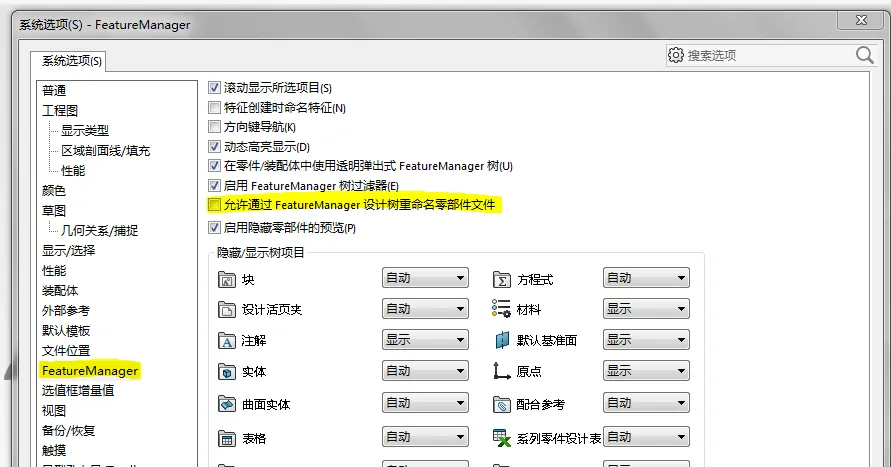
SolidWorks*Excel+VBA-更名第一步,先扒拉装配关系时隔多天,我又双叒叕回来了!最近比较忙,没啥功夫倒腾这个系列。 先看个视频,回忆一下本系列过往的风格。 前言: Solidworks api提供了很多更改文件名的方法: 1、最熟悉的packandgo,可以在打包的时候直接改名并更新内部装配关系; 2、再一个,RenameDocument,直接在装配中改名,有点像featuremanager的功能,直接在设计树中修改名字; 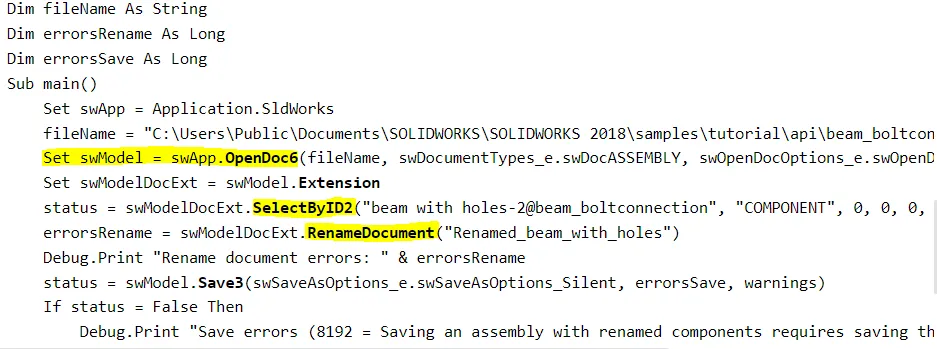
3、还有一个,ReplaceReferencedDocument,不是直接改名字,这是替换文件引用关系,不局限于装配,工程图貌似也行,而且不用打开模型文件。 下面的是官方案例,很简洁干脆。 扒拉了很多资料,发现不管是方法1,还是方法2修改完名字后,还是有概率会丢引用关系,影响因素很多(版本/装配模型质量?有无错误?/正确保存?),最终可能还得用方法3修复关系引用。 所以个人感觉改名字干脆直接就文件流一把梭哈,管你装配,零件,工程图,统统改完再说。 改完后再用方法3刷一遍引用关系。全程不打开文件,最大限度减少干扰。 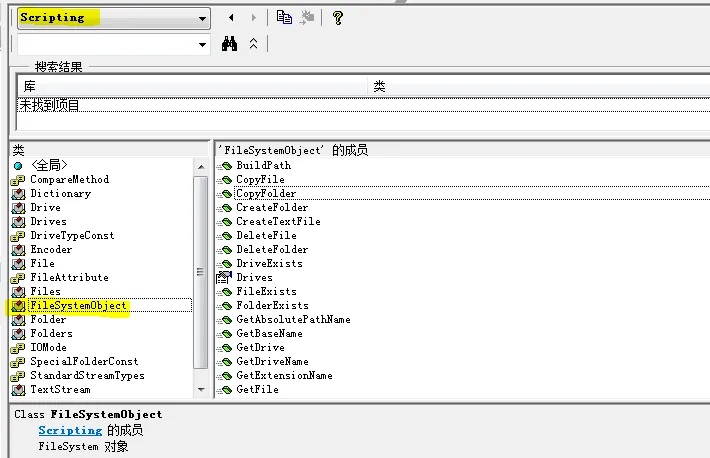
所以现在进入正题,既然要用方法3,那就势必需要知道修改前后的文件引用关系。 今天的主角代码: 装配关系用最原始的GetComponents方法来解析,之前也介绍过,只是这次加了些机制,解压缩和解除轻化,不然获取不到模型对象。 程序运行后,会把装配中用到的所有文件去重并输出。先默认新旧文件位置/名称一致,后续再看实际需求改名字。 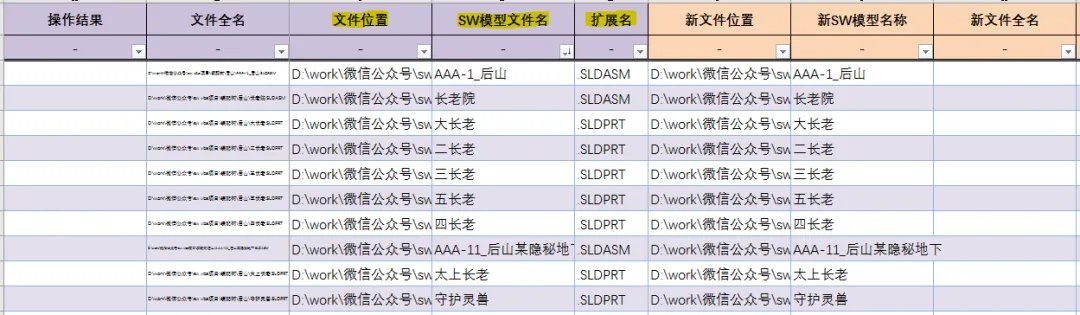
还有这两列输出所有装配的引用关系。 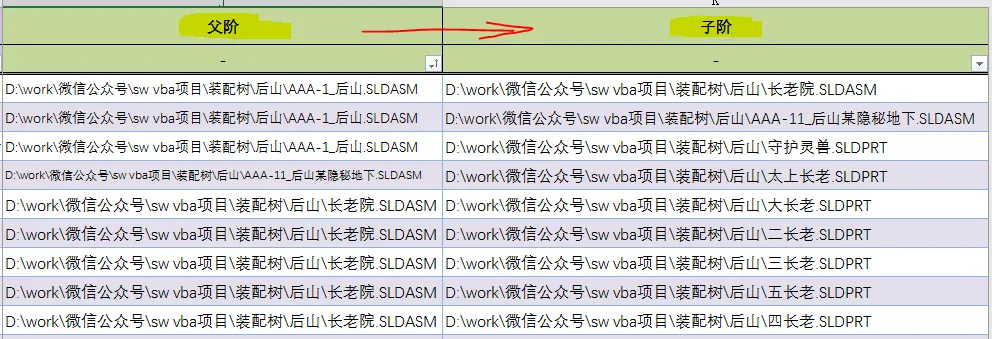
程序中引用到的其他子过程在历史文章中可以找到介绍,就不再赘述了 ,让我偷个懒。
本次只需要记住GetComponents+递归+ReplaceReferencedDocument。 递归方法中用到了两个字典,这两个字典的生命周期不同,一个是贯穿整个递归过程,还有一个仅作用于每一步递归子过程。 没有拉马努金的瞪眼法,真不能去细想递归过程……整个就套娃套娃再套娃,不说了,脑壳疼,我先去针个灸。 
已关注
关注
重播 分享 赞
'Replace Referenced Document Example (VBA)'This example shows how to replace a referenced document with a different document in an assembly.'---------------------------------------------------------------------------------------------------' Preconditions:' 1. Create C:\temp\blade shaft.' 2. Copy these files from C:\Users\Public\Documents\SOLIDWORKS\SOLIDWORKS 2018\samples\tutorial\advdrawings' to C:\temp\blade shaft:' * blade shaft.sldasm' * drive shaft.sldprt' * drive shaft pin.sldprt' * drive shaft plate.sldprt' 3. Open C:\temp\blade shaft\drive shaft.sldprt and save the file as drive shaft2.sldprt.' 4. Close drive shaft2.sldprt.' 5. Open the Immediate window.'' Postconditions:' 1. Replaces C:\temp\blade shaft\drive shaft.sldprt with C:\temp\blade shaft\drive shaft2.sldprt.' 2. Examine the Immediate window and open C:\temp\blade shaft\blade shaft.sldasm, click Rebuild,' click File > Find References and examine the files listed under Name.'------------------------------------------------------------------------------------------------------Option ExplicitConst sReferencingDoc As String = "C:\temp\blade shaft\blade shaft.sldasm"Const sOldDoc As String = "C:\temp\blade shaft\drive shaft.sldprt"Const sNewDoc As String = "C:\temp\blade shaft\drive shaft2.sldprt"Sub main()Dim swApp As SldWorks.SldWorksDim bRet As BooleanSet swApp = CreateObject("SldWorks.Application")bRet = swApp.ReplaceReferencedDocument(sReferencingDoc, sOldDoc, sNewDoc)Debug.Print ("Reference to drive shaft.sldprt replaced with reference to drive shaft2.sldprt? " & bRet)End Sub
Sub SearchLink()Dim swModelDoc As ModelDoc2, swModelDocNm As StringDim ReturnVal(), posn As Long, fsNames As Variant, AllModelNmDic As DictionaryDim i As Integer, fsNm As String, nmtmp As StringIf myselcondi Thenposn = Selarray(1): SetGolDicWith ThisWorkbook.ActiveSheetIf UCase(.Cells(posn, PropTitDicA("扩展名"))) <> ".SLDASM" ThenMsgBox "未选择装配,程序结束!", vbExclamation, "不正经的机械仙人"Exit SubEnd IffsNm = .Cells(posn, PropTitDicA("文件位置")) & "\" & .Cells(posn, PropTitDicA("SW模型文件名")) & .Cells(posn, PropTitDicA("扩展名"))End WithReturnVal = OpenDsFiles_next("model", posn)If VarType(ReturnVal(0)) <> vbEmpty ThenThisWorkbook.Sheets("SW2 装配关系").ActivateSet swModelDoc = ReturnVal(0): swModelDocNm = swModelDoc.GetPathNameSet AllModelNmDic = CreateObject("Scripting.Dictionary")Application.StatusBar = "正在搜索:" & swModelDocNmWith ThisWorkbook.ActiveSheet.AutoFilter.ShowAllData: .Range("A3:Z10000").ClearContents.Cells(3, PropTitDicA("文件全名")) = swModelDocNm.Cells(3, PropTitDicA("文件位置")) = Left(swModelDocNm, InStrRev(swModelDocNm, "\") - 1).Cells(3, PropTitDicA("SW模型文件名")) = Split(Dir(swModelDocNm, vbNormal), ".")(0).Cells(3, PropTitDicA("扩展名")) = "." & UCase(Split(Dir(swModelDocNm, vbNormal), ".")(1)).Cells(3, PropTitDicA("新文件位置")) = .Cells(3, PropTitDicA("文件位置")).Cells(3, PropTitDicA("新SW模型名称")) = .Cells(3, PropTitDicA("SW模型文件名"))End WithAllModelNmDic.Add swModelDocNm, ""ExpAsmModel swModelDoc, 3, 4, AllModelNmDic '递归搜索Set AllModelNmDic = NothingApplication.StatusBar = FalseswApp.QuitDoc swModelDocNmMsgBox fsNm & "所有装配关系已搜索完毕!", vbInformation, "不正经的机械仙人"ElseMsgBox fsNm & Chr(13) & "打开失败!", vbExclamation, "不正经的机械仙人"End IfElseMsgBox "未选择正确行,程序结束!", vbExclamation, "不正经的机械仙人"End IfEnd SubSub ExpAsmModel(ParaModel As ModelDoc2, i As Long, j As Long, AllModelNmDic As Dictionary) '递归展开装配模型Dim Comps As Variant, Comp As Variant, ChiModel As ModelDoc2Dim ModelNmDic As Dictionary, ChiModelNm As StringParaModel.ResolveAllLightWeightComponents FalseComps = ParaModel.GetComponents(True)Set ModelNmDic = CreateObject("Scripting.Dictionary")With ThisWorkbook.ActiveSheetFor Each Comp In CompsIf Comp.IsSuppressed ThenComp.SetSuppression2 swComponentFullyResolved '第一次解除压缩Comp.SetSuppression2 swComponentFullyResolved '第二次解除轻化End IfSet ChiModel = Comp.GetModelDoc2: ChiModelNm = ChiModel.GetPathNameIf Not ModelNmDic.Exists(ChiModelNm) Then '单个装配内,不重复搜索子阶Application.StatusBar = "正在搜索:" & ChiModelNmModelNmDic.Add ChiModelNm, "".Cells(i, PropTitDicA("父阶")) = ParaModel.GetPathName.Cells(i, PropTitDicA("子阶")) = ChiModelNmi = i + 1End IfIf Not AllModelNmDic.Exists(ChiModelNm) Then '所有文件全名,全局唯一AllModelNmDic.Add ChiModelNm, "".Cells(j, PropTitDicA("文件全名")) = ChiModelNm.Cells(j, PropTitDicA("文件位置")) = Left(ChiModelNm, InStrRev(ChiModelNm, "\") - 1).Cells(j, PropTitDicA("SW模型文件名")) = Split(Dir(ChiModelNm, vbNormal), ".")(0).Cells(j, PropTitDicA("扩展名")) = "." & UCase(Split(Dir(ChiModelNm, vbNormal), ".")(1)).Cells(j, PropTitDicA("新文件位置")) = .Cells(j, PropTitDicA("文件位置")).Cells(j, PropTitDicA("新SW模型名称")) = .Cells(j, PropTitDicA("SW模型文件名"))j = j + 1If ChiModel.GetType = swDocASSEMBLY Then ExpAsmModel ChiModel, i, j, AllModelNmDicEnd IfNextEnd WithSet ModelNmDic = NothingSet Comp = NothingSet Comps = NothingSet ChiModel = NothingSet ParaModel = NothingEnd Sub
,让我偷个懒。
本文来自网友投稿或网络内容,如有侵犯您的权益请联系我们删除,联系邮箱:wyl860211@qq.com 。

