一个word文件图片提取工具
- 2026-09-27 07:28:31
一个word文件图片提取工具没什么用,纯粹是玩一下。 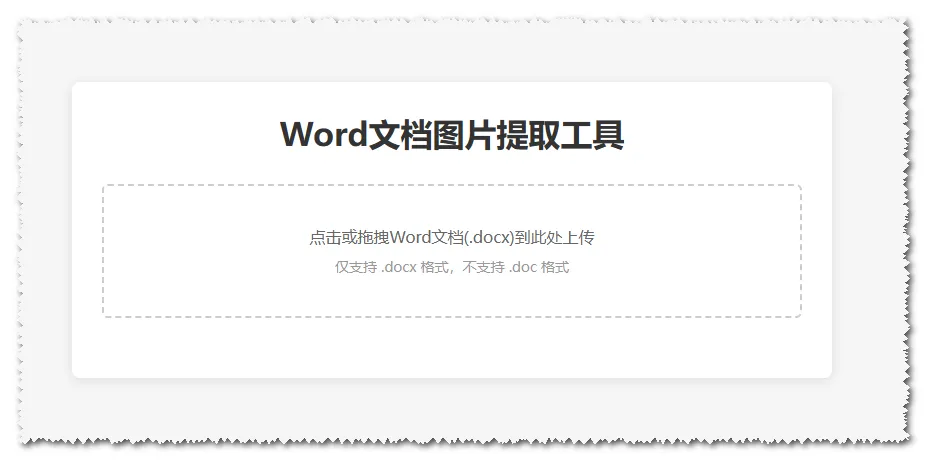
代码如下
<!DOCTYPE html><htmllang="zh-CN"><head><metacharset="UTF-8"><metaname="viewport"content="width=device-width, initial-scale=1.0"><title>Word文档图片提取工具</title><style>* {margin: 0;padding: 0;box-sizing: border-box;font-family: "微软雅黑", sans-serif;}body {max-width: 800px;margin: 50px auto;padding: 20px;background-color: #f5f5f5;}.container {background: white;padding: 30px;border-radius: 8px;box-shadow: 0 2px 10px rgba(0,0,0,0.1);}h1 {text-align: center;color: #333;margin-bottom: 30px;}.upload-area {border: 2px dashed #ccc;border-radius: 6px;padding: 40px 20px;text-align: center;cursor: pointer;transition: all 0.3s;margin-bottom: 30px;}.upload-area:hover {border-color: #409eff;background-color: #f8f9fa;}.upload-area.active {border-color: #67c23a;background-color: #f0f9eb;}#fileInput {display: none;}.upload-text {color: #666;font-size: 16px;}.tip {color: #999;font-size: 14px;margin-top: 10px;}#previewArea {margin-top: 30px;display: none;}#previewArea h2 {color: #333;margin-bottom: 20px;font-size: 18px;}.image-list {display: grid;grid-template-columns: repeat(auto-fill, minmax(150px, 1fr));gap: 20px;}.image-item {border: 1px solid #eee;border-radius: 4px;padding: 10px;text-align: center;}.image-item img {max-width: 100%;max-height: 150px;object-fit: contain;margin-bottom: 10px;cursor: zoom-in;}.image-item button {background-color: #409eff;color: white;border: none;padding: 5px 10px;border-radius: 4px;cursor: pointer;font-size: 12px;}.image-item button:hover {background-color: #337ecc;}#status {text-align: center;margin-top: 20px;color: #666;font-size: 16px;}.error {color: #f56c6c !important;}.success {color: #67c23a !important;}</style></head><body><divclass="container"><h1>Word文档图片提取工具</h1><!-- 上传区域 --><divclass="upload-area"id="uploadArea"><inputtype="file"id="fileInput"accept=".docx"><divclass="upload-text">点击或拖拽Word文档(.docx)到此处上传</div><divclass="tip">仅支持 .docx 格式,不支持 .doc 格式</div></div><!-- 状态提示 --><divid="status"></div><!-- 图片预览区域 --><divid="previewArea"><h2>提取到的图片(共<spanid="imageCount">0</span>张):</h2><divclass="image-list"id="imageList"></div></div></div><!-- 引入jszip库 --><scriptsrc="https://cdn.jsdelivr.net/npm/jszip@3.10.1/dist/jszip.min.js"></script><script>// 获取DOM元素const uploadArea = document.getElementById('uploadArea');const fileInput = document.getElementById('fileInput');const status = document.getElementById('status');const previewArea = document.getElementById('previewArea');const imageList = document.getElementById('imageList');const imageCount = document.getElementById('imageCount');// 点击上传区域触发文件选择uploadArea.addEventListener('click', () => {fileInput.click();});// 拖拽文件处理uploadArea.addEventListener('dragover', (e) => {e.preventDefault();uploadArea.classList.add('active');});uploadArea.addEventListener('dragleave', () => {uploadArea.classList.remove('active');});uploadArea.addEventListener('drop', (e) => {e.preventDefault();uploadArea.classList.remove('active');if (e.dataTransfer.files.length > 0) {handleFile(e.dataTransfer.files[0]);}});// 文件选择后处理fileInput.addEventListener('change', () => {if (fileInput.files.length > 0) {handleFile(fileInput.files[0]);}});/*** 处理上传的Word文件* @param {File} file 上传的文件对象*/async function handleFile(file) {// 验证文件格式if (!file.name.endsWith('.docx')) {showStatus('请上传 .docx 格式的Word文档!', 'error');return;}showStatus('正在解析文档并提取图片,请稍候...');try {// 读取文件内容const arrayBuffer = await readFileAsArrayBuffer(file);// 解析ZIP包(docx本质是zip压缩包)const zip = await JSZip.loadAsync(arrayBuffer);// 存储提取到的图片const images = [];// 遍历zip中的所有文件,筛选图片(Word中的图片通常在word/media/目录下)zip.forEach(async (relativePath, zipEntry) => {// 匹配word/media/目录下的图片文件if (relativePath.startsWith('word/media/') && !zipEntry.dir) {const fileName = zipEntry.name.split('/').pop();// 获取图片的MIME类型const mimeType = getMimeTypeByFileName(fileName);if (mimeType) {// 读取图片内容const content = await zipEntry.async('blob');// 创建图片URLconst imageUrl = URL.createObjectURL(content);images.push({name: fileName,url: imageUrl,blob: content,mimeType: mimeType});}}});// 等待所有图片解析完成(延迟确保遍历完成)setTimeout(() => {if (images.length === 0) {showStatus('未在文档中找到任何图片!', 'error');return;}// 显示提取结果showStatus(`成功提取到 ${images.length} 张图片!`, 'success');showImages(images);}, 500);} catch (error) {console.error('提取图片失败:', error);showStatus('提取图片失败,请检查文档是否损坏或格式正确!', 'error');}}/*** 根据文件名获取MIME类型* @param {string} fileName 文件名* @returns {string} MIME类型*/function getMimeTypeByFileName(fileName) {const ext = fileName.split('.').pop().toLowerCase();const mimeMap = {'png': 'image/png','jpg': 'image/jpeg','jpeg': 'image/jpeg','gif': 'image/gif','bmp': 'image/bmp','svg': 'image/svg+xml'};return mimeMap[ext] || null;}/*** 显示提取到的图片* @param {Array} images 图片数组*/function showImages(images) {// 清空图片列表imageList.innerHTML = '';// 更新图片数量imageCount.textContent = images.length;// 显示预览区域previewArea.style.display = 'block';// 遍历图片创建预览项images.forEach((image, index) => {const imageItem = document.createElement('div');imageItem.className = 'image-item';// 图片预览const img = document.createElement('img');img.src = image.url;img.alt = `图片${index + 1}`;img.title = '点击查看大图';// 点击图片查看大图img.addEventListener('click', () => {window.open(image.url, '_blank');});// 下载按钮const downloadBtn = document.createElement('button');downloadBtn.textContent = '下载图片';downloadBtn.addEventListener('click', () => {downloadImage(image.blob, image.name);});// 组装元素imageItem.appendChild(img);imageItem.appendChild(downloadBtn);imageList.appendChild(imageItem);});}/*** 下载图片* @param {Blob} blob 图片Blob对象* @param {string} fileName 文件名*/function downloadImage(blob, fileName) {const a = document.createElement('a');a.href = URL.createObjectURL(blob);a.download = fileName;a.click();// 释放URL对象URL.revokeObjectURL(a.href);}/*** 读取文件为ArrayBuffer* @param {File} file 文件对象* @returns {Promise<ArrayBuffer>}*/function readFileAsArrayBuffer(file) {return new Promise((resolve, reject) => {const reader = new FileReader();reader.onload = (e) => resolve(e.target.result);reader.onerror = (e) => reject(e);reader.readAsArrayBuffer(file);});}/*** 显示状态提示* @param {string} text 提示文本* @param {string} type 类型:error/success/默认*/function showStatus(text, type = '') {status.textContent = text;status.className = type;// 3秒后清除非错误提示if (type !== 'error') {setTimeout(() => {status.textContent = '';status.className = '';}, 3000);}}</script></body></html>
工具使用说明
- 保存文件:将上面的代码复制到文本编辑器(如记事本),保存为 XXX.html(后缀为
.html)。 - 运行工具:双击该 HTML 文件,会在默认浏览器中打开工具页面。
- 上传文档:
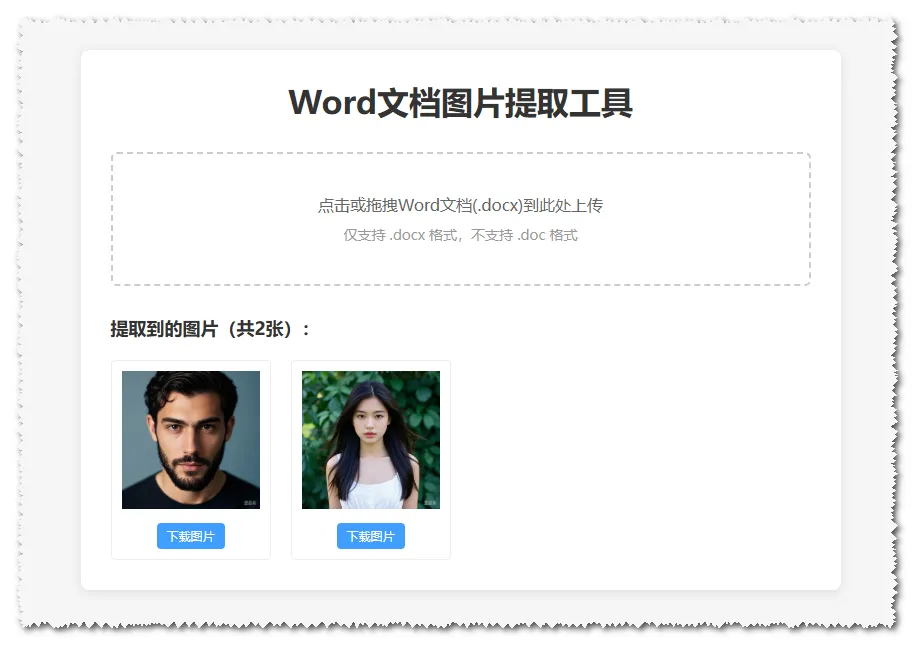
方式 1:点击上传区域,选择要提取图片的 .docx格式 Word 文档;方式 2:直接将 .docx文件拖拽到上传区域。- 提取与下载:工具会自动解析文档并提取所有图片,显示预览图,点击 “下载图片” 可保存单张图片,点击预览图可查看大图。
本文来自网友投稿或网络内容,如有侵犯您的权益请联系我们删除,联系邮箱:wyl860211@qq.com 。

